Bans
You can ban a player from the dashboard. Takaro sends the ban to your game server, so the player is kicked out and can’t rejoin.
Ban types
Section titled “Ban types”Every ban has two choices: where it applies and how long it lasts.
| Choice | What it means | |
|---|---|---|
| Where | Global ban (all servers) | The player is banned on every server they have played on. New servers get the ban too |
| One server | The player is banned only on the server you pick | |
| How long | Permanent | Leave Expires empty |
| Temporary | Set a date and time in Expires. Takaro sends that end date to your game server |
Ban a player
Section titled “Ban a player”You need the Manage Players permission.
- Find the player. You can start from:
- Their profile: Ban at the top, or Add ban on the Bans tab.
- The Players list: the row menu, Ban.
- A server’s Players list: the row menu, Ban.
- Write a Reason. It is required.
- Optional: set Expires for a temporary ban. Leave it empty for a permanent ban.
- Under Server, keep Global ban (all servers) or pick one server.
- Choose Ban player.
From a server’s Players list, the ban is set to that server. From the global list or a profile, it starts as a global ban.
Ban many players at once
Section titled “Ban many players at once”Tick several players in a Players list, then choose Ban in the bar that appears. You fill in the reason and expiry once for everyone. On the global list you also pick the server. On a server’s list the bans always go to that server.
If some bans fail, Takaro lists them. Ban those players again one by one.
Ask Takaro AI
Section titled “Ask Takaro AI”You can also ask Takaro AI, for example: “Ban Robin on Coppervale Survival for griefing.” It shows you the ban first and asks for your approval.
Unban a player
Section titled “Unban a player”The dashboard has no unban button. Use one of these:
- Takaro AI: ask it to lift the ban, for example “Unban Robin on Coppervale Survival”. It looks up the ban and shows Unban
on or Lift the global ban offor your approval. - The API: delete the ban with
DELETE /player/ban/{id}. See API.
Lifting a global ban unbans the player on every server and also removes their per-server bans.
Where bans show
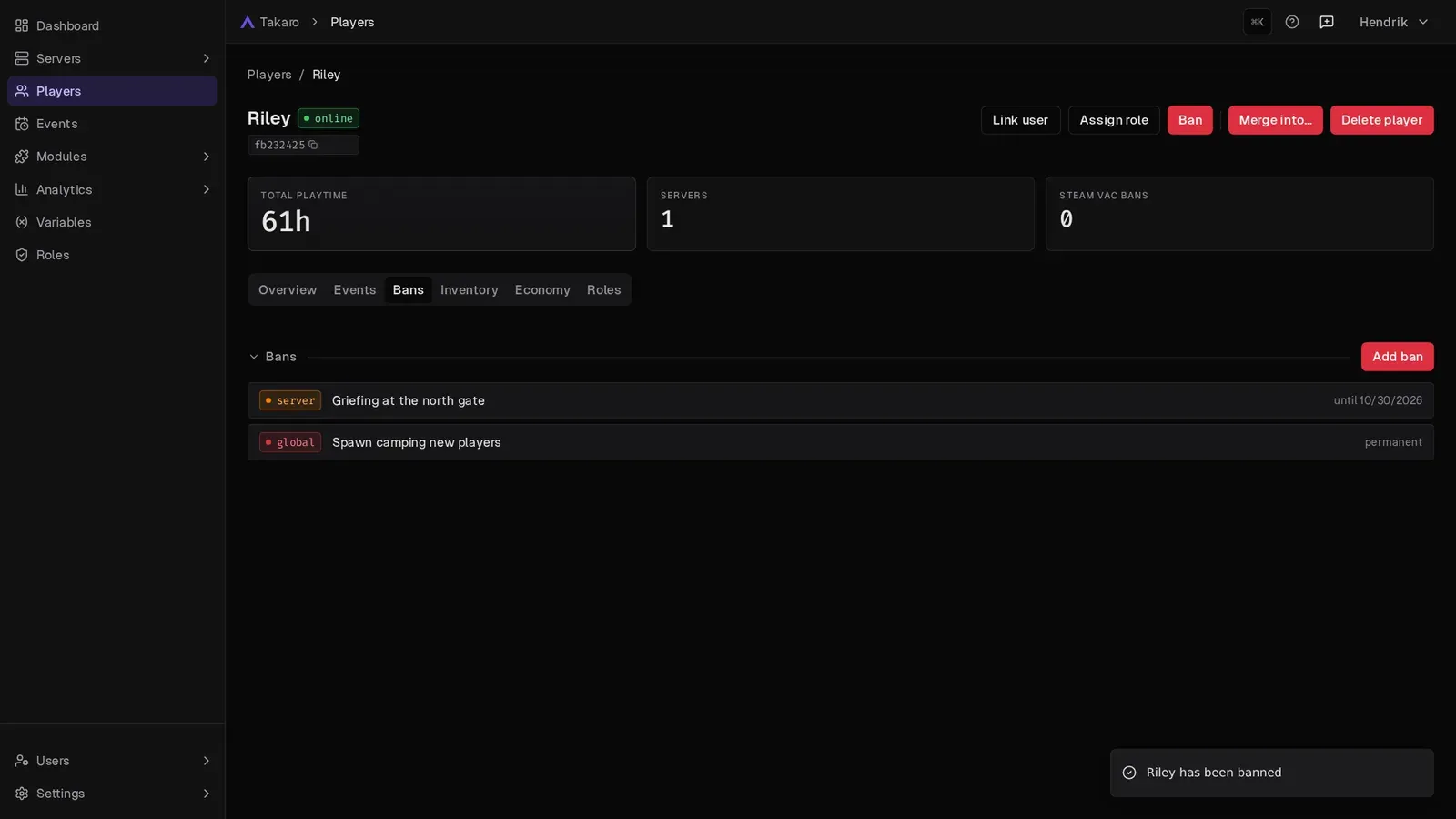
Section titled “Where bans show”- Dashboard → Recent Bans: the five newest bans, with reason, global or server, and the end date or permanent.
- Player profile → Bans tab: every ban of that player.
- Events: each ban and unban creates a
player-bannedorplayer-unbannedevent. Filter for them on the Events page. - Analytics → Players: a chart of bans and unbans over time. See Analytics.
How Takaro keeps bans in sync
Section titled “How Takaro keeps bans in sync”Takaro regularly reads the ban list of each game server.
- Bans made in Takaro are “Takaro managed”. Takaro created them, so it keeps them in its own list.
- Global bans are re-applied. If a global ban goes missing on a server, for example after a server wipe, Takaro bans the player again on the next sync. To remove a global ban for good, lift it through Takaro, not in game.
- Bans made in game show up in Takaro after the next sync. If you lift them in game, they disappear from Takaro after the next sync.