
Run your Astroneer dedicated server without opening the game
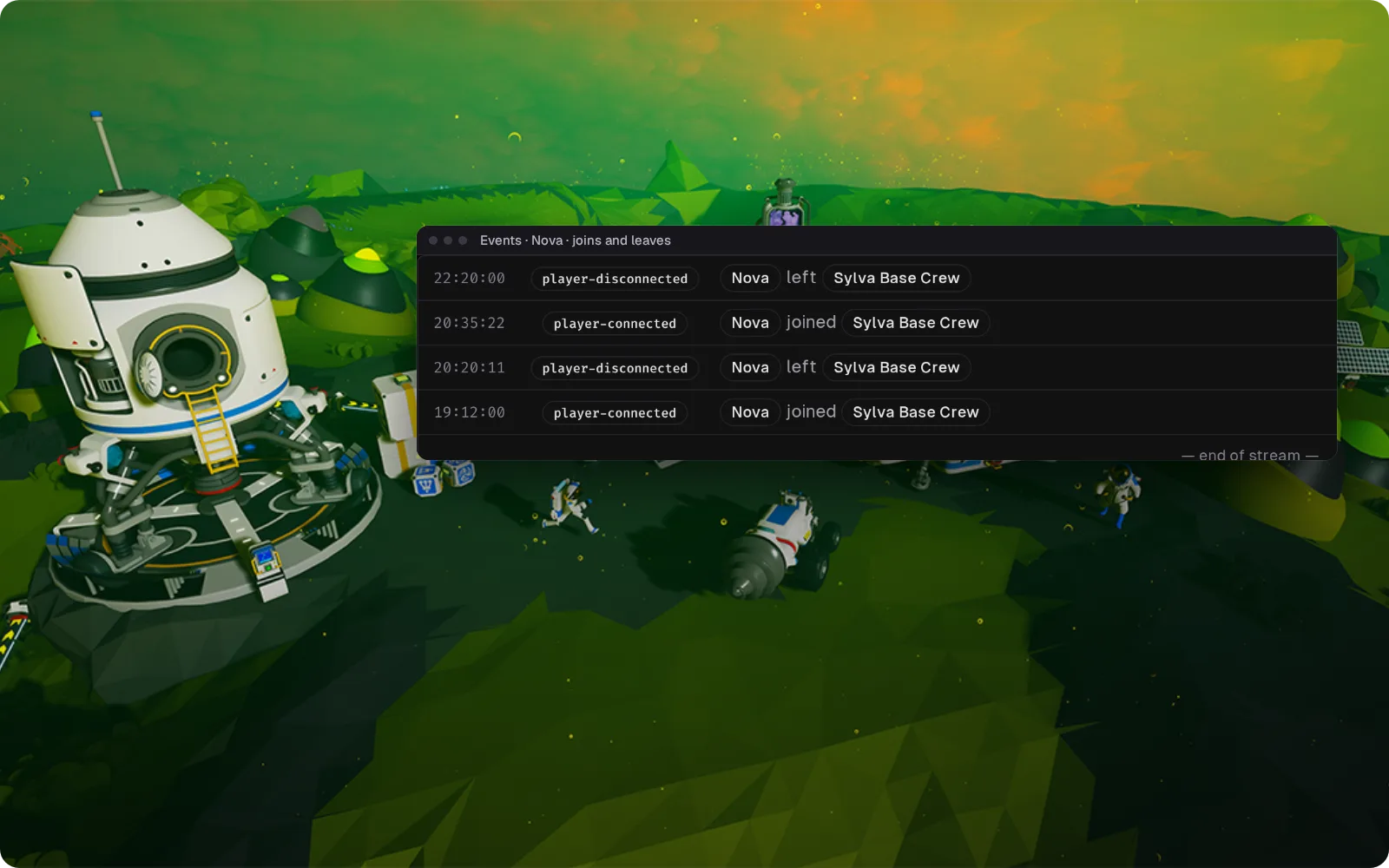
Astroneer's admin tools sit in an in-game menu that only the owner gets. Takaro shows who joined and left in a browser your co-admins can open too, and posts joins to Discord.
Free tier available. Community-supported.
Running an eight-player Astroneer server between patches
Only the owner can see anything
Kick, ban and whitelist sit in the owner's in-game panel, and the owner is whoever's Steam name matches the server config. When you're at work, nobody can see who has been on.
Patch night splits the crew
System Era ships a hotfix. The PC players are back in, but crossplay with PlayStation can stay broken until the console patch clears certification. From work, you can't even tell who got back in.
Every evening starts with "anyone on?"
Eight friends, one Discord, and nobody wants to boot Astroneer just to see if the server is empty. So they ask, and wait, and ask again.
Who dug in tonight, without loading the game
The community bridge reports joins and leaves within about a second. The log keeps them, so you can see who was on before a base got rearranged. There's no chat: Astroneer doesn't give the bridge one.
How community game support works → See who's on from Discord
Takaro posts every join and leave to a Discord channel you pick, so "is anyone on?" has an answer without starting the game. That's all the channel gets: Astroneer has no chat for Takaro to pass on.
Set up the Discord bridge →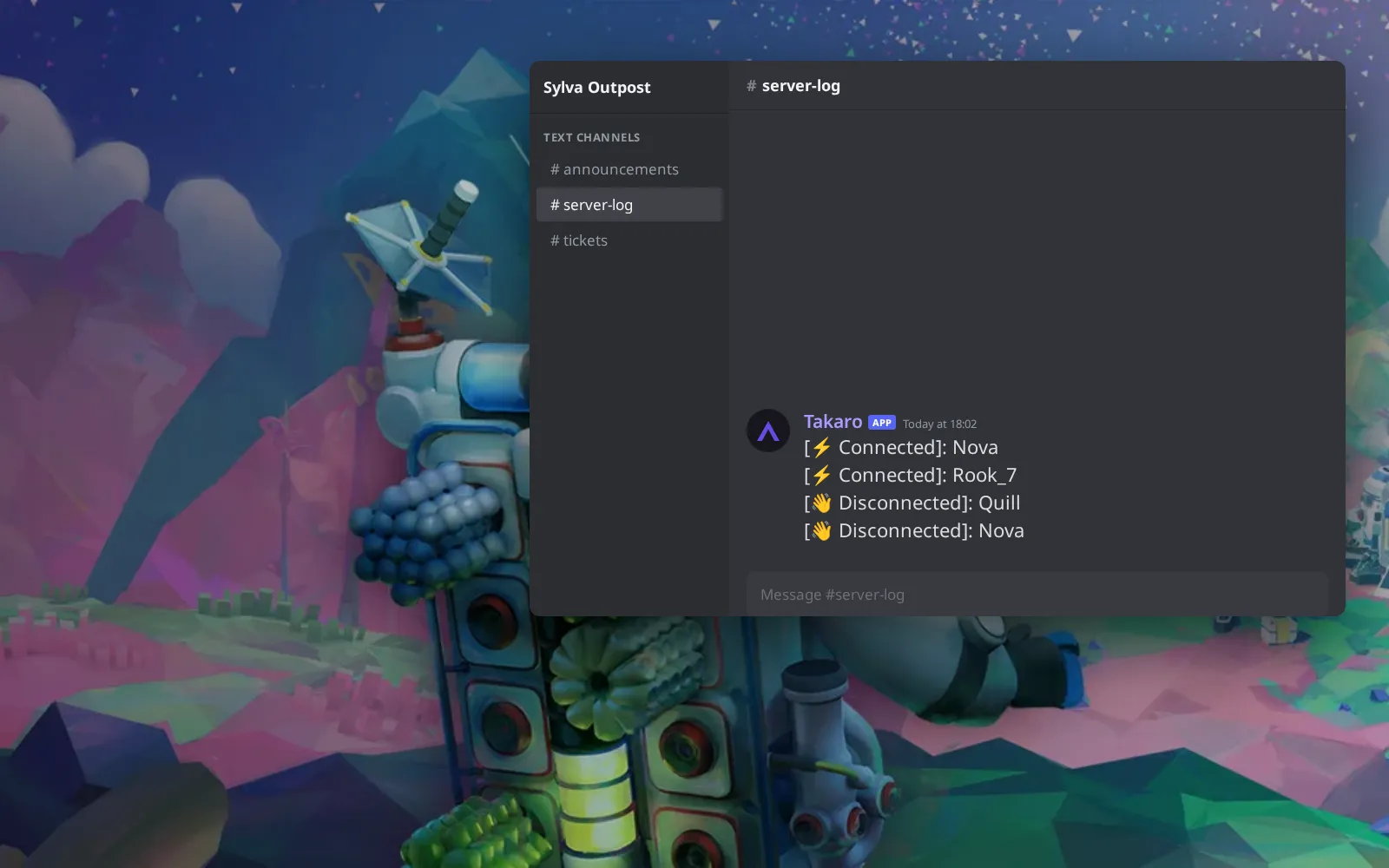
Your crew, with a kick and ban button
Everyone who has joined stays on one list with their playtime and when they were last on. Kick or ban from the browser, and co-admins can do the same without the owner's menu.
How bans work →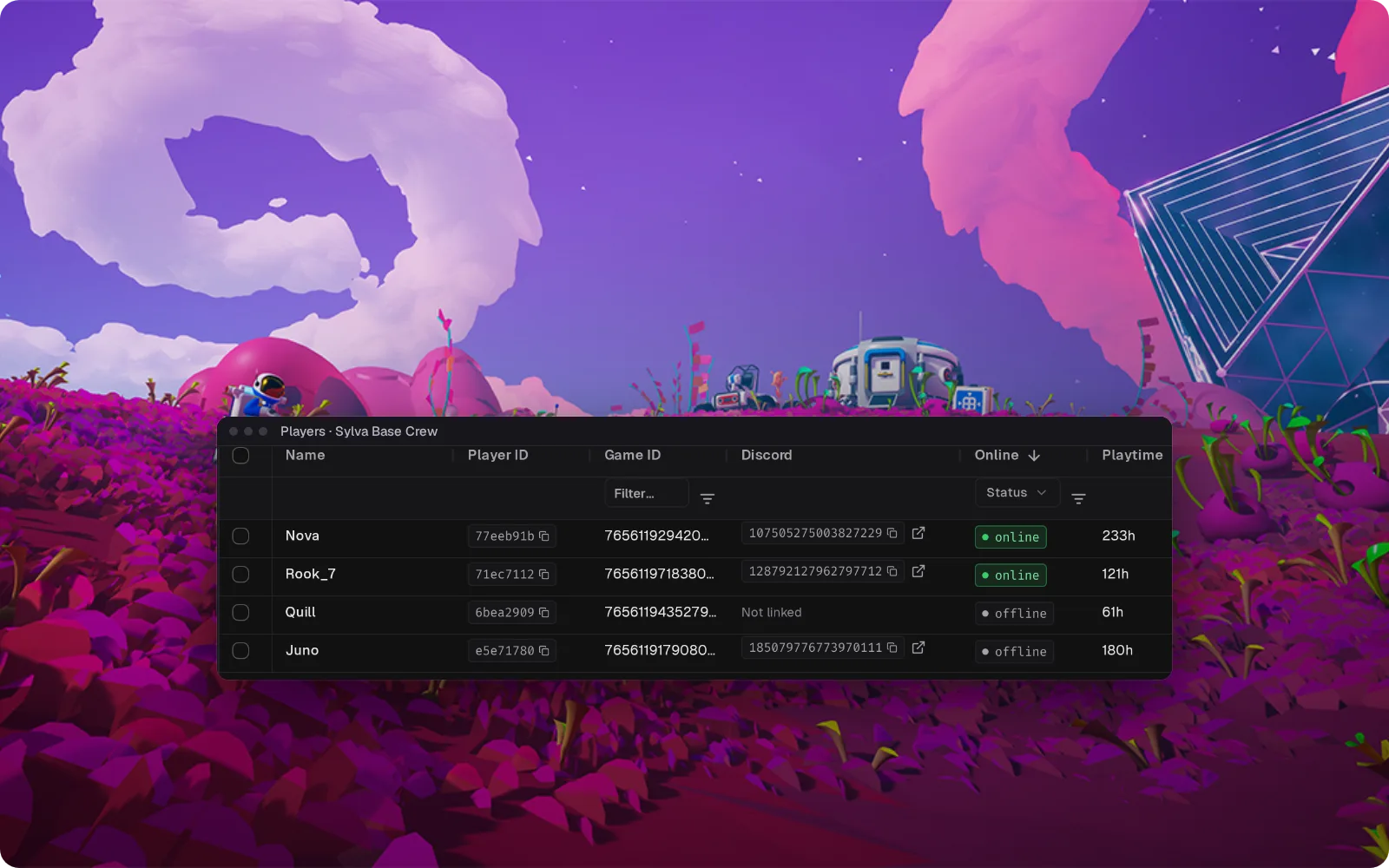
Everything else for your Astroneer server
What the community connector gives you on Astroneer. Install, configure, done.
See who was on the planet over the weekend
Every join and leave is logged. When the base looks different on Monday, you check who was on instead of asking around.
Let a friend keep watch without your Steam name
An Astroneer server has one owner. In Takaro you give a friend their own login, so someone can check on the crew while you're away.
Stop for a patch without cutting a run short
The leave log shows when the last player logged off, so you can stop the server to update or back up the save once it's actually empty.
See who made it back in after an update
After a patch, the join log shows which friends are back on, so you know who is still waiting for their own update.
How Astroneer support works
Astroneer is supported through Takaro's generic connector rather than one Takaro builds and releases, so there is no download here. Setup and support come from the community that maintains it.
- Maintained by the Takaro community.
- Set up Takaro's generic connector with the community-made Astroneer add-on on your dedicated server. There is no Astroneer download from Takaro. The guide below explains how generic connector support works. The add-on runs on your own Windows PC or a host that exposes the server's console port.
- Questions go to the community, not to Takaro support.
Free to start. Upgrade when you grow.
The free tier includes one server with all modules, full API access, and Discord integration. Paid plans start at €7.99/month.
Astroneer server management FAQ
How many players can join an Astroneer dedicated server?
Eight. A server hosted from inside the game takes four, so a dedicated server is how a bigger crew plays together.
Can PlayStation players join my Astroneer server?
Yes, self-hosted servers support crossplay between PC and PlayStation, but not Xbox. Everyone needs exactly the same game version, so right after a patch console players may have to wait until their update is out.
Do players need the Megatech DLC to join my server?
Only if the server runs a Megatech save. Then everyone who joins needs the DLC too.
How do I become admin on my own Astroneer server?
Put your Steam name in OwnerName in the server settings file, with the server stopped. The first player with that name to join becomes the owner and gets the in-game admin panel for kicking, banning and the whitelist.
Can Takaro roll back my Astroneer save?
No. Takaro doesn't restore or roll back saves, so back the save up before a patch, the same as always.
Do my friends have to install anything?
No. The add-on runs on the server machine, and players join with the normal game.
Is there a player map for Astroneer?
No. Takaro has no Astroneer map. The join and leave history tells you who was on and when.
Can I manage multiple Astroneer servers from one dashboard?
Yes. Add as many servers as your plan allows. The free tier includes one server; paid plans cover two to eight, all from a single dashboard.
Is Takaro a replacement for my server host?
No. Takaro is a management layer on top of the server you already run. You keep your hosting provider; Takaro connects to the server and adds economy, teleports, moderation and analytics.
Can I write custom modules?
Yes. Takaro modules are commands, hooks and cron jobs you can write yourself, and the REST API is open for anything a module cannot reach.
How much does it cost?
The free tier covers one server with every module included. Paid plans start at €7.99/month for two servers. See all plans.
What does the Astroneer connector actually cover?
Player tracking, automated server events, Discord integration, automated actions and activity monitoring. See the full feature list.
Where do I get help with Astroneer support?
In the Takaro Discord, where the people who build and run the community connectors are.
Is Astroneer support official?
No. Astroneer is supported through Takaro's generic connector rather than a connector Takaro builds and releases, so setup and support come from the community. How community support works.
Ready to manage your Astroneer server?
Connect your server and start adding features in minutes.
Running more than one game?
One Takaro account runs every game below, with one player profile across all of them.