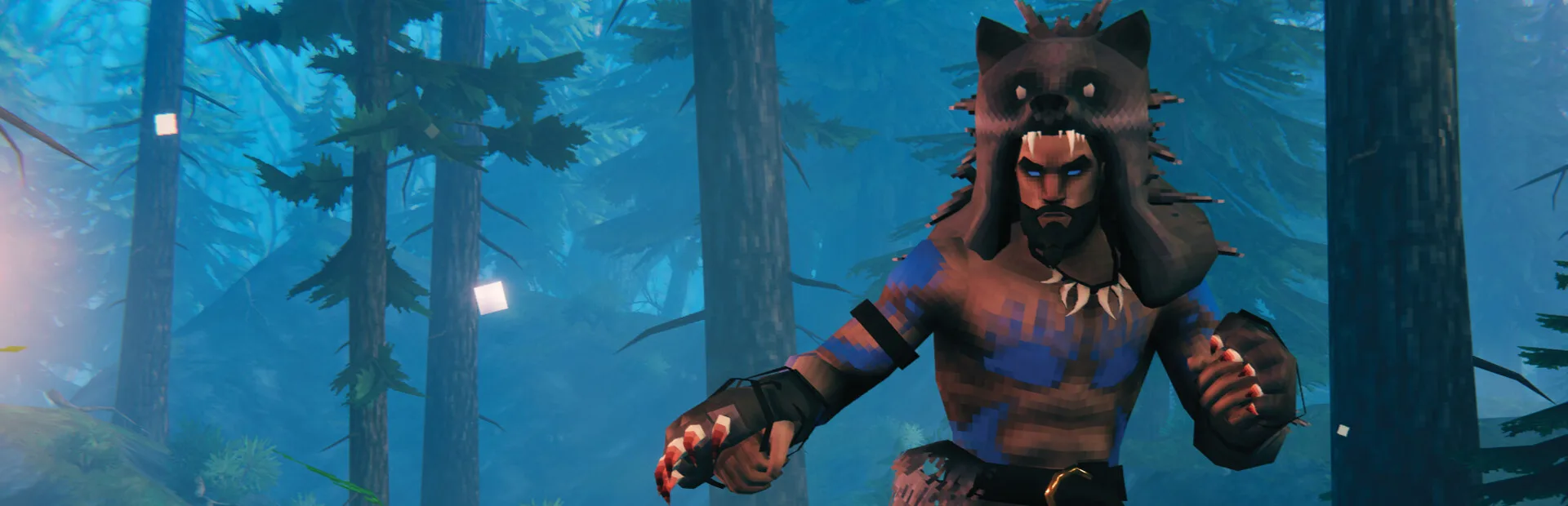
Valheim server admin tools that remember who was at the longhouse
Pick any viking on your Valheim dedicated server and replay their evening on a map of the whole world, not just the parts they explored: where they went, what they killed, where they died and when they logged off. The morning someone finds the longhouse wrecked, you start from that record instead of from who was online.
Built for Valheim 1.0.17 on BepInEx.
- Free for one server, with every module
- One BepInEx plugin on the server. Players join with plain Valheim
- Picks the connection back up when the server comes back from a hotfix
Morning-after messages every Valheim admin gets
"Who broke the longhouse?"
The owner was offline, the server log says almost nothing, and three vikings swear they were in the Mountains all night. It might have been a troll. It might not.
With Takaro Draw a circle around the longhouse, set last night's hours and read who stood inside it, from when to when.
"Incompatible version"
Iron Gate shipped a hotfix, half the group can't join, and the other half is asking in chat if the server is dead.
With Takaro Warn everyone on a schedule, then save and stop the server from the browser. The plugin runs on the server only, so it adds nothing to the mod list your players have to match.
"Ban him, but not by text file"
A guest who got the password from a friend has been tearing down the dock, and he's holding one of your ten slots while he does it.
With Takaro Kick or ban from his profile. Unban later with one click, without opening bannedlist.txt or restarting anything.
Who stood at the longhouse between 10 PM and 6 AM?
(1) Draw a circle around the base on the Tracker, the map's history view. (2) Set the hours. (3) Area search lists every player seen inside, with the first and last time and how many position samples put them there. Positions are samples, so a player can cross the circle between two of them, and they show who was there, not what they did: read the trail before you ban. If the list is empty, look at the mobs.
How area search works →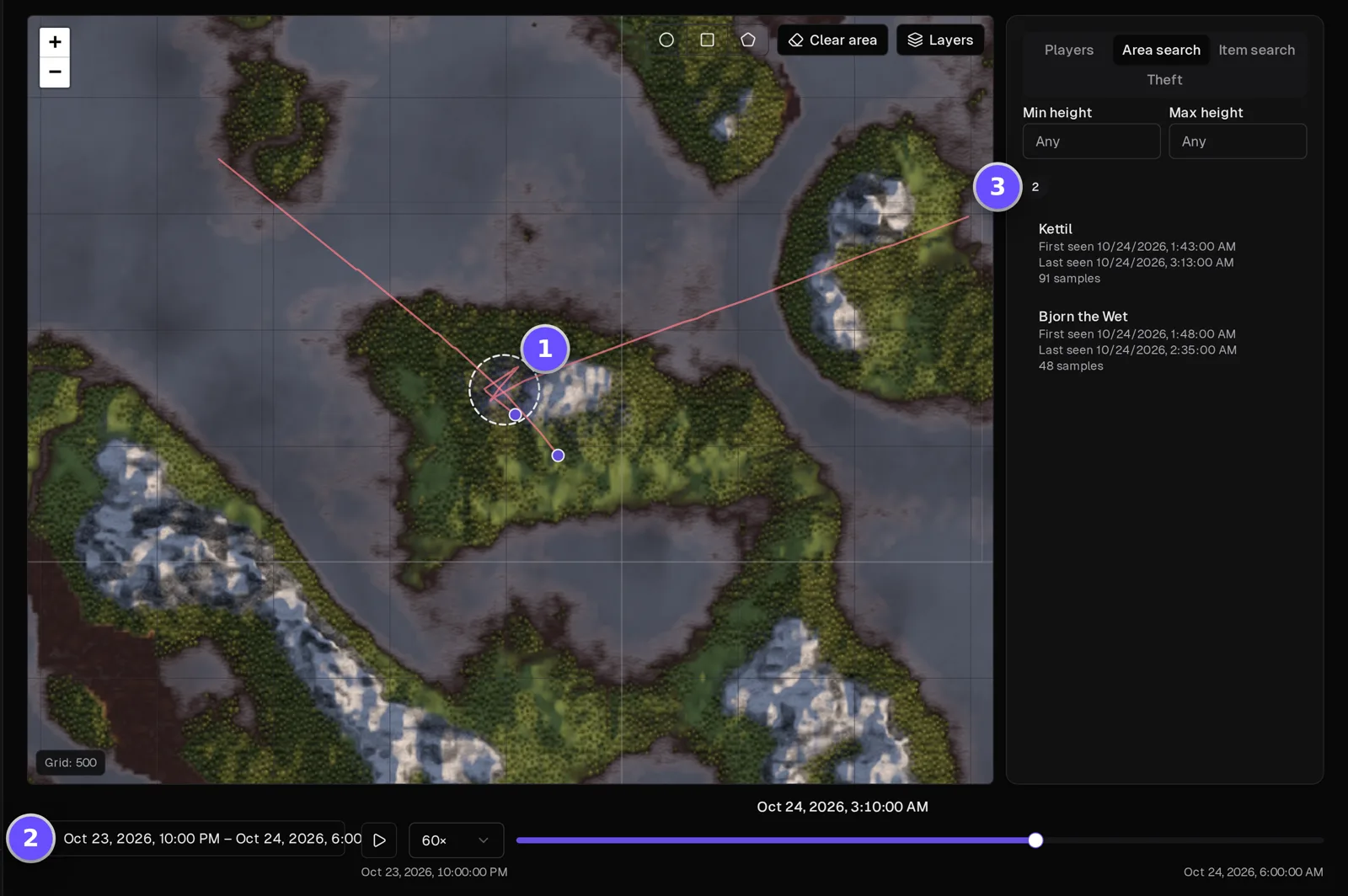
One viking's evening, top to bottom
Filter the server's events to one player and read what happened in order: when they joined, what they said in chat, every Draugr and Leech they killed, the mead they bought, when they died and when they logged off. It's the first page to open when someone's name comes up the next morning.
How the Tracker works →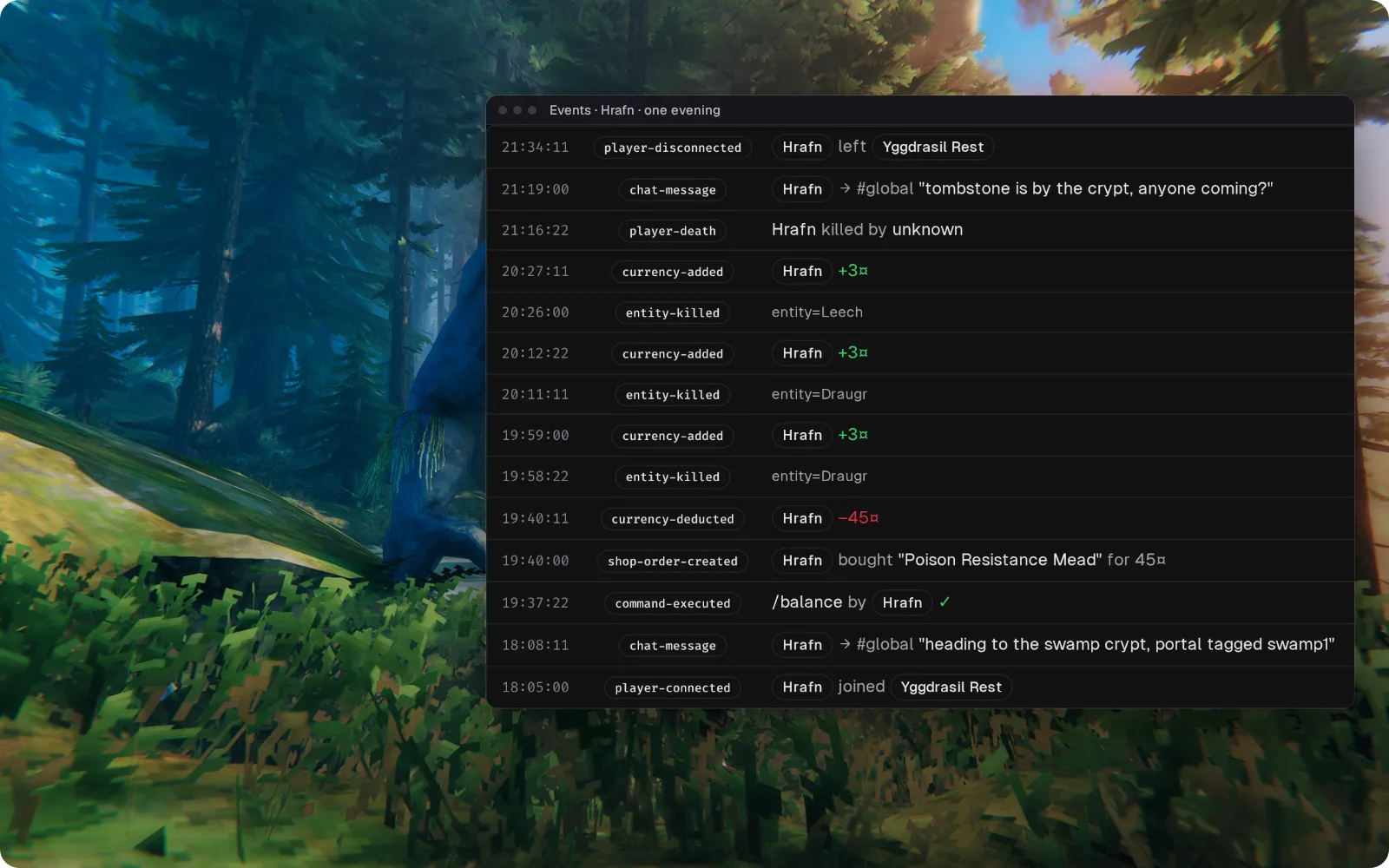
Hotfix night: players know before the server goes down
Scheduled messages tell everyone when the server goes down for the update, a timed shutdown warns them five minutes ahead and then saves and stops the server, and once your host has it back up on the new version the plugin reconnects by itself. Everyone who returns gets your welcome message, and each step is in the event log.
Browse the modules →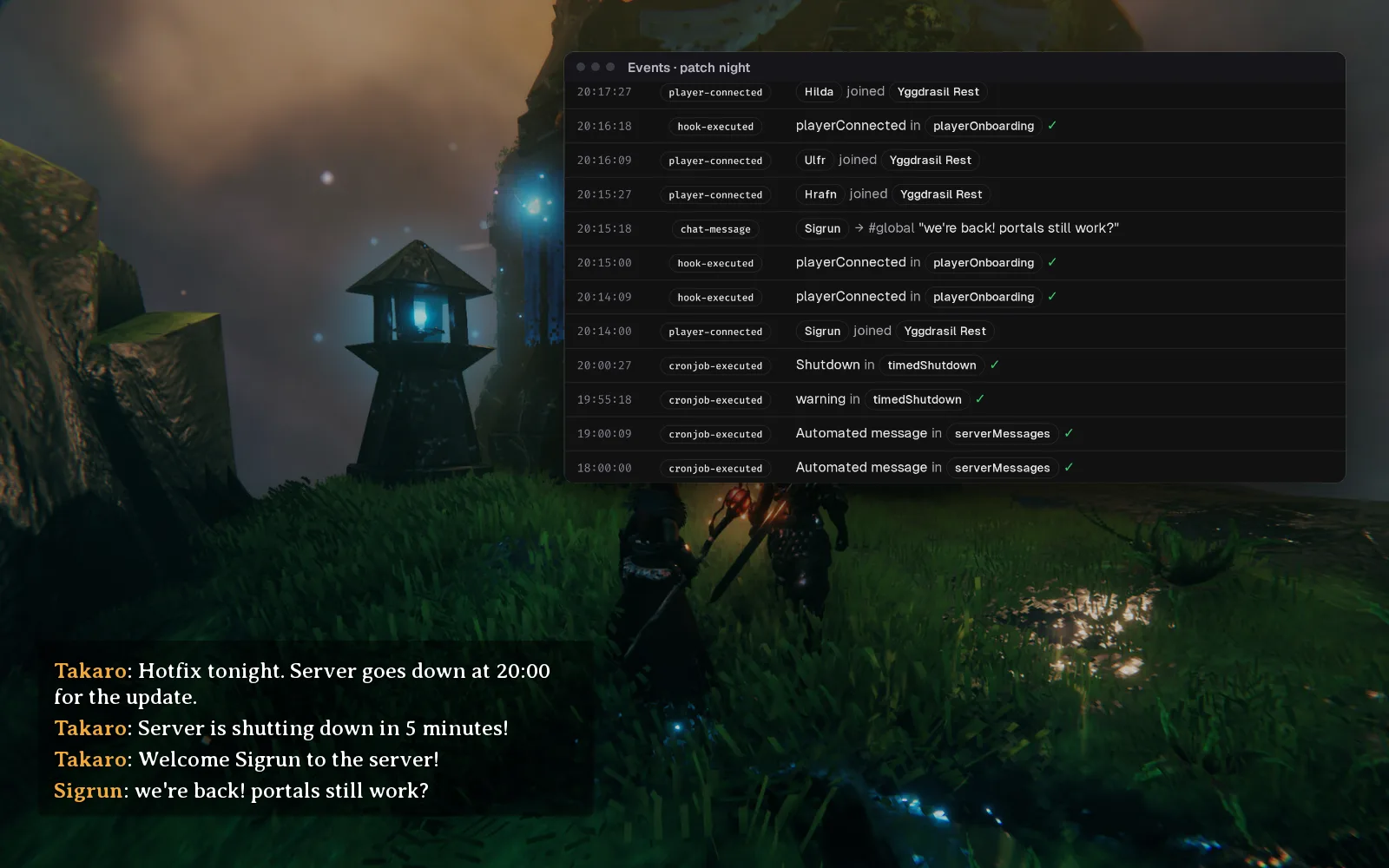
Crypt runs planned in Discord
Viking chat goes to a Discord channel and replies from there show up in game, so the group can plan the next run while half of them are at work. The bridge hasn't been tested on Takaro's 4.0 plugin yet, so check it on your own server first.
Set up the Discord bridge →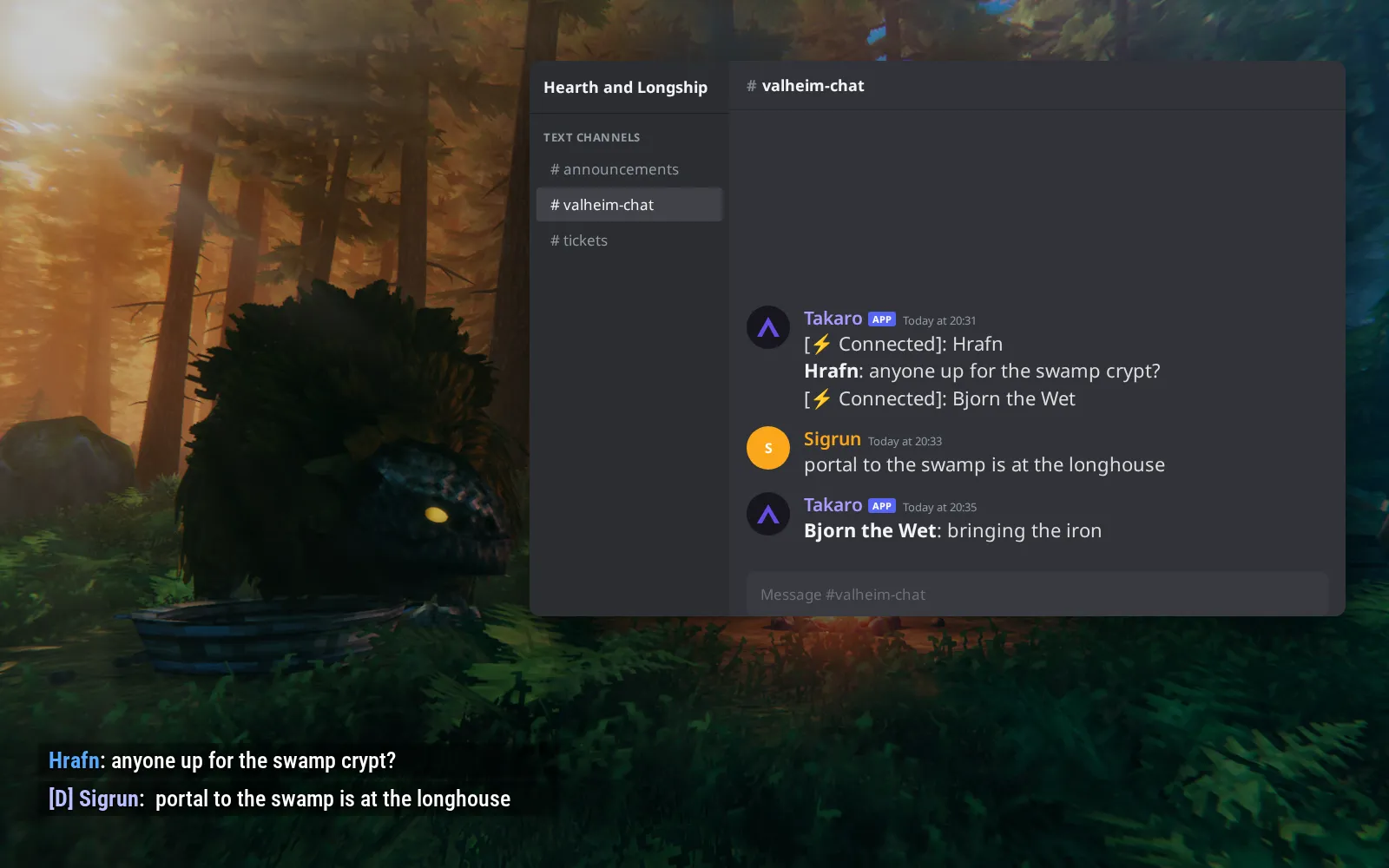
How the shop works, from a Draugr kill to a mead
You set the listings and prices in Takaro, and every creature a player kills pays silver at one rate you set. (1) @shop 1 lists the first five items with their price. (2) @shop 1 5 buy gets two Poison Resistance Meads, dropped at the buyer's feet. (3) Your storefront page shows the same meads and bars as cards, with price and contents.
Browse the economy modules →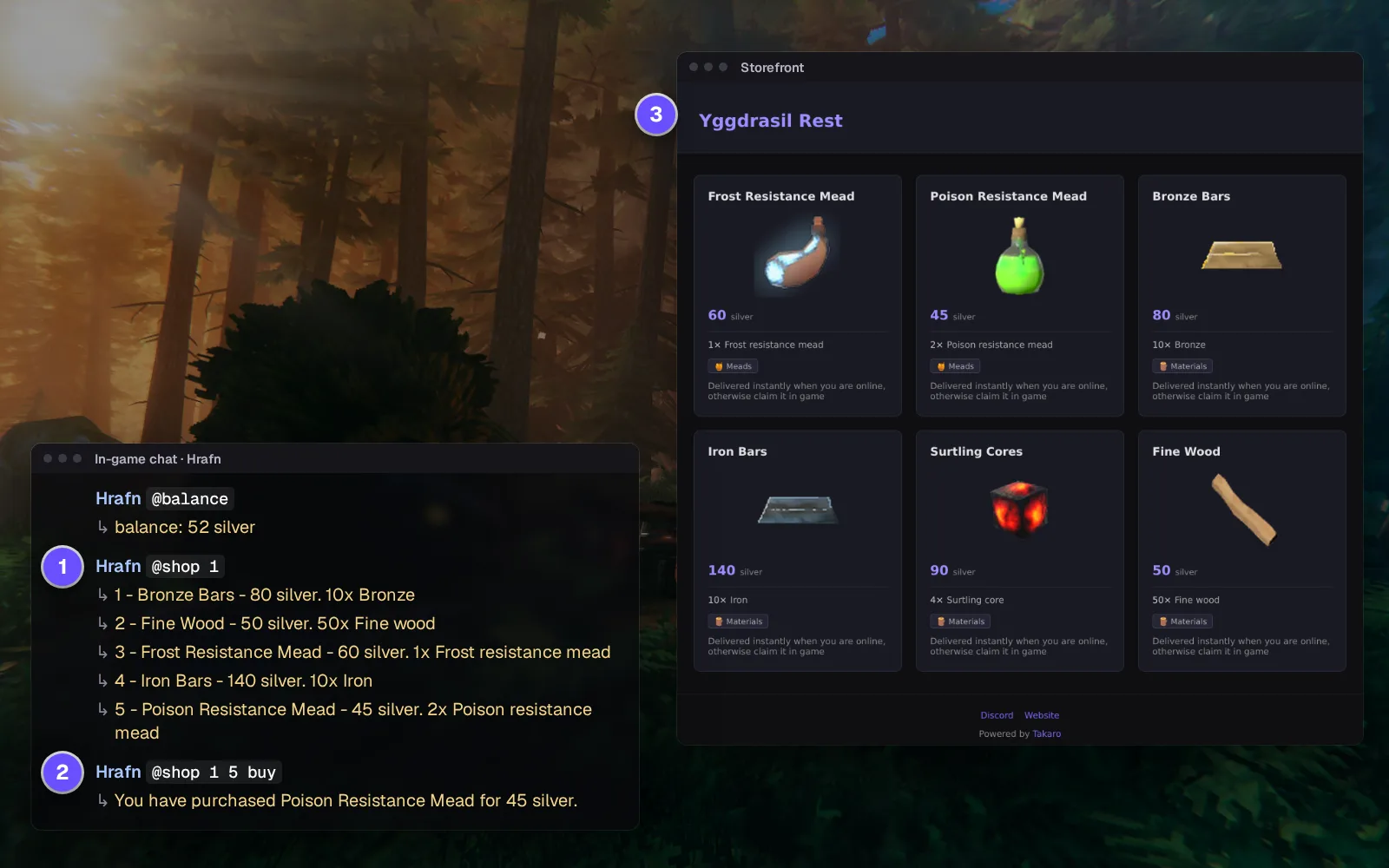
Everything else for your Valheim server
Bans that go into Valheim's own list
Ban from the player's profile and the server drops them. Unban with one click. Valheim's list stores only the player's ID, so write the reason down somewhere else.
Give items by their in-game name
Search "Surtling core", not a prefab name. It drops at the player's feet, so hand it over when nobody else is standing next to them.
Pull a stuck viking out of the Swamp
Move a player to exact coordinates from the browser. No portal, no boat trip, no admin logging in to fetch them.
Teleports players set themselves
Players save their own spots with @settp and go back with @tp, so the portal hub isn't the only way home.
Download the Valheim connector
BepInEx plugin that connects a Valheim dedicated server to Takaro.
Before you start
- BepInExPack Valheim 5.4.2351 (Thunderstore denikson/BepInExPack_Valheim)
- Takaro registration token
Latest release
Next steps
- Create the server in the Takaro dashboard and copy its registration token.
- Install BepInEx on your server, drop the Takaro plugin into its plugins folder, and paste the code Takaro gives you into the plugin's config.
Previous versions (1)
Free to start. Upgrade when you grow.
The free tier includes one server with all modules, full API access, and Discord integration. Paid plans start at €7.99/month.
Valheim server management FAQ
Is there an admin panel for a Valheim dedicated server?
Vanilla Valheim has no web panel: you manage it from the in-game console and text files. Takaro adds a browser panel with the map, player logs, bans, kicks, teleports and items for the server you already run, through one plugin on the server. If your group also plays Enshrouded, it sits in the same dashboard.
How do I find out who destroyed a base on my Valheim server?
Open the Tracker, set the hours and draw a circle around the base. Takaro lists every player recorded inside it and when, and you replay their trails to see what they were doing there. Mob raids leave no trail, so an empty list points at the mobs.
How do I ban or unban a player on a Valheim server without bannedlist.txt?
Open the player in Takaro and press ban or unban. The change goes into Valheim's own ban list, so there's no file to edit and no restart. The ban reason isn't stored there. See how bans work.
Is there a live map for a Valheim server that shows the whole world?
Yes. The plugin draws the whole world from your seed, explored or not, and Takaro shows online players on it and where offline players logged out. Boss altars, Haldor, Hildir and the Bog Witch are marked on it too. The Tracker replays any evening.
Do players need mods to join a Valheim server with Takaro?
No. Players join with plain, unmodified Valheim. The plugin runs on the server only, so there is nothing extra for them to keep in step after a patch.
What do I do when Valheim says "Incompatible version" after a patch?
Update the server to the new build, and keep the Takaro plugin on a build the connector docs list as supported. When the server comes back, the plugin reconnects on its own.
Can I see a player's inventory on my Valheim server?
Only for players who install the optional inventory mod on their own game. Everyone else plays normally on the same server, and Takaro just doesn't see what they carry.
Can I manage multiple Valheim servers from one dashboard?
Yes. Add as many servers as your plan allows. The free tier includes one server; paid plans cover two to eight, all from a single dashboard.
Is Takaro a replacement for my server host?
No. Takaro is a management layer on top of the server you already run. You keep your hosting provider; Takaro connects to the server and adds economy, teleports, moderation and analytics.
Can I write custom modules?
Yes. Takaro modules are commands, hooks and cron jobs you can write yourself, and the REST API is open for anything a module cannot reach.
How much does it cost?
The free tier covers one server with every module included. Paid plans start at €7.99/month for two servers. See all plans.
Is Valheim support official?
Yes. Takaro builds, tests and releases this connector itself, with versioned releases and a documented install. Bugs go to the connectors repository.
Ready to manage your Valheim server?
Install the connector, connect, and start adding features in minutes.
Running more than one game?
One Takaro account runs every game below, with one player profile across all of them.