Terraria server admin tools for TShock, with your world on a map
Replay boss night on your own world, side-on in Terraria's map colours: who went down the hellevator, who died to the Wall of Flesh and who landed the kill. Then scrub back to the small hours and see who was near spawn when the tunnel appeared.
Needs TShock. Players install nothing.
- Free for one server, with every module
- A TShock plugin and a small helper app, both on the server
- Deaths and boss kills land in the event log as they happen
A normal week on a TShock server
"Someone tunnelled through spawn and logged off"
The NPC houses have a hole through them, nobody admits to it, and the player who did it is long gone.
With Takaro Draw a box around spawn on the Tracker, set the night, and see who was there and when. Their profile stays after they leave.
"Wall of Flesh tonight, who's coming?"
You announce it in Discord, then again in chat by hand, then forget to remind the late crowd.
With Takaro Schedule the announcements in game. Deaths and the boss kill end up in the event log for the recap.
"Patch day, and nobody can join"
"You are not using the same version as this server." You wait for TShock, then for every plugin you run.
With Takaro Takaro's plugin is built for a specific TShock release and says which one. Tell players what's happening with a scheduled message while you wait.
The night the server went hardmode
The server's event log keeps the whole evening. (1) Scheduled messages call everyone to the hellevator at 21:30. (2) Every death is there with what killed it. (3) Then the Wall of Flesh kill. The kill's weapon isn't shown, because Terraria credits the item the player was holding, even when a minion or sentry did the damage.
Browse the modules →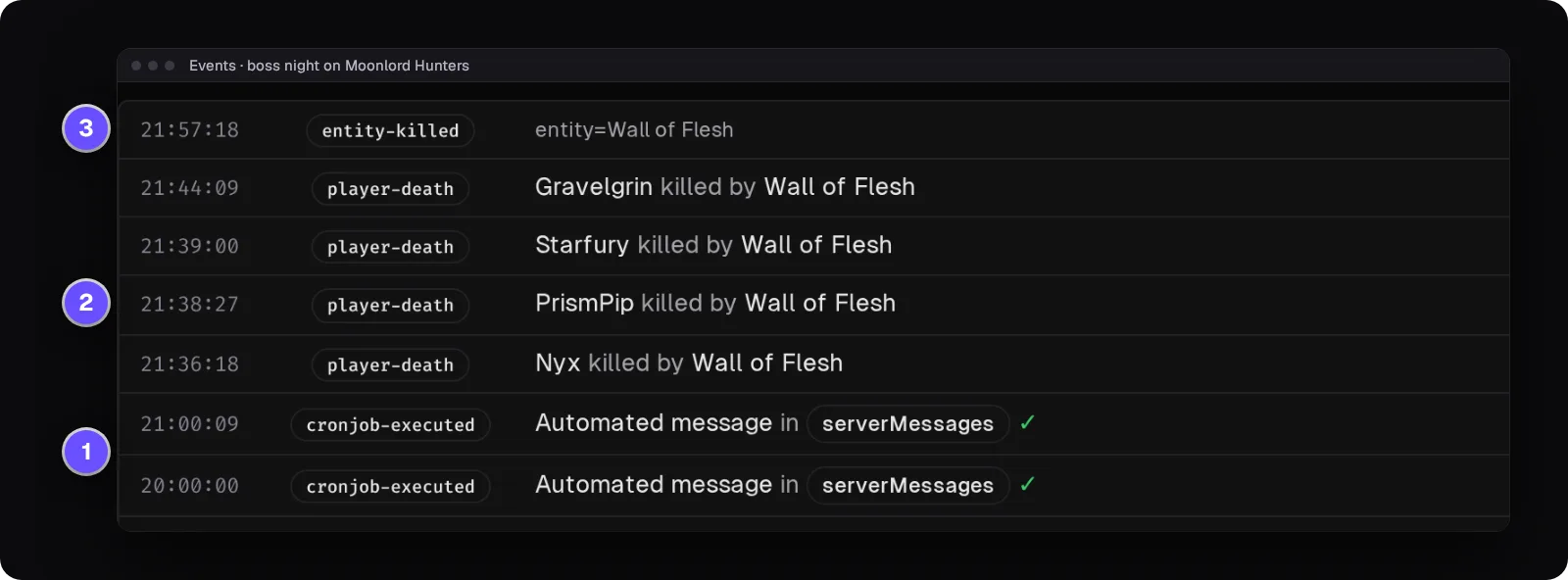
Who was near spawn between 4 and 6 AM?
Draw a box around spawn on the Tracker, the map's history view, and set the hours. Area search lists every player seen inside with the first and last time and how many position samples put them there. It tells you who was around, not who broke which block.
How area search works →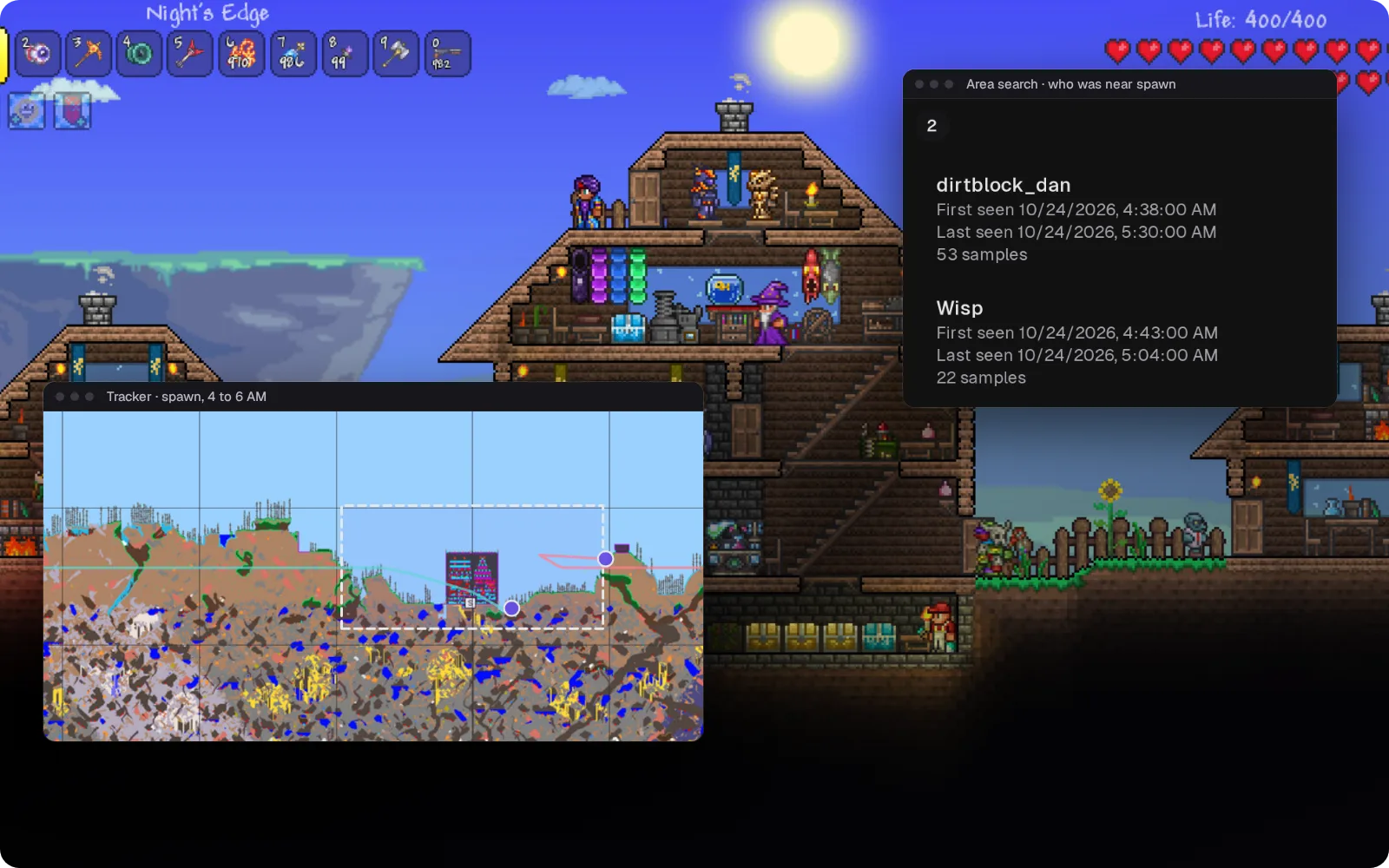
The players Takaro has seen on your world
One list of the players Takaro has seen, including the one who logged off before you saw the damage. Your TShock groups still decide who can build; Takaro roles decide what your staff can do in the dashboard.
How roles work →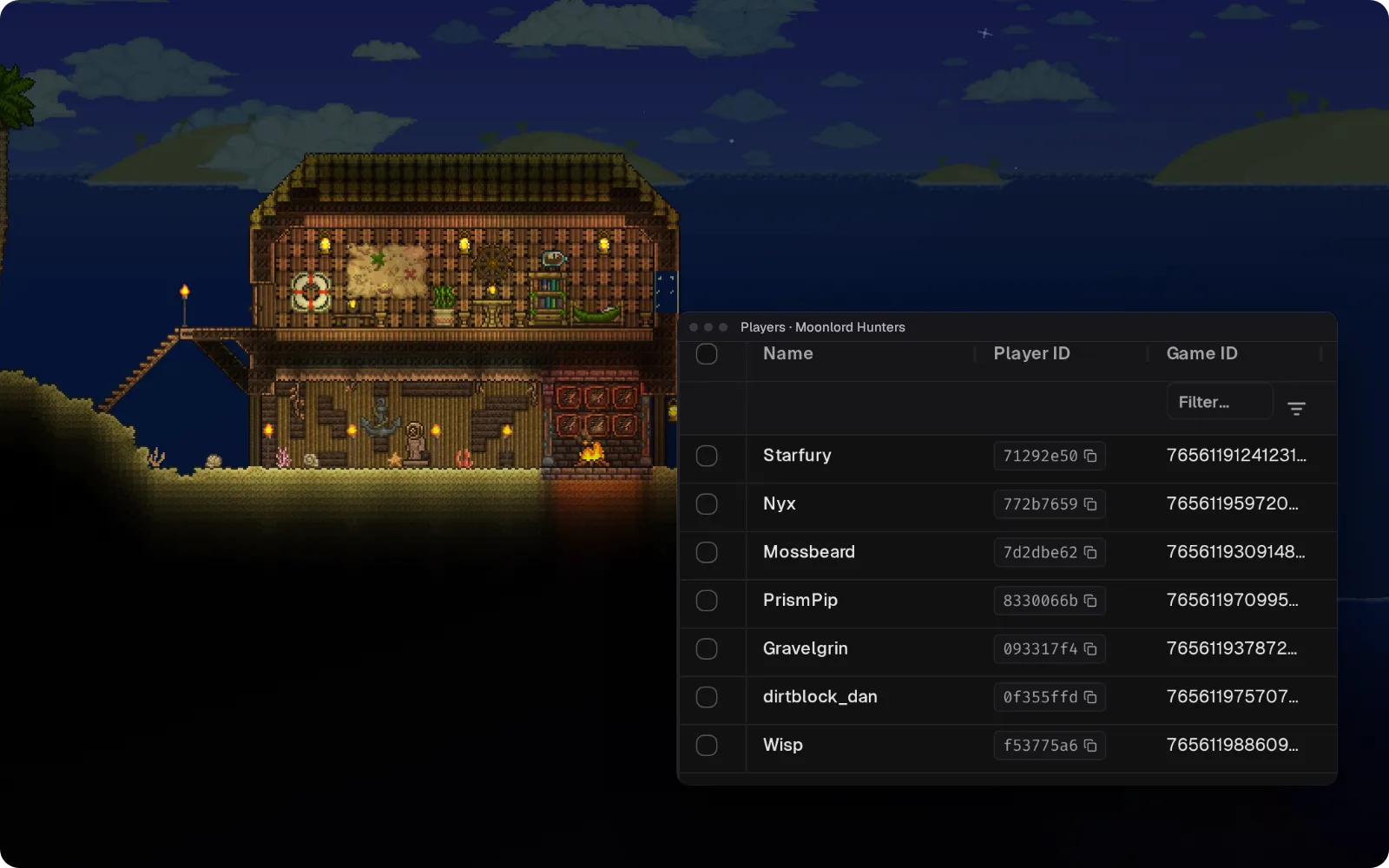
Call the boss fight from Discord
Chat read from the TShock log goes to a Discord channel, and replies typed there show up in game. The bridge hasn't had a live test on Terraria yet, so try it on your server before you count on it.
Set up the Discord bridge →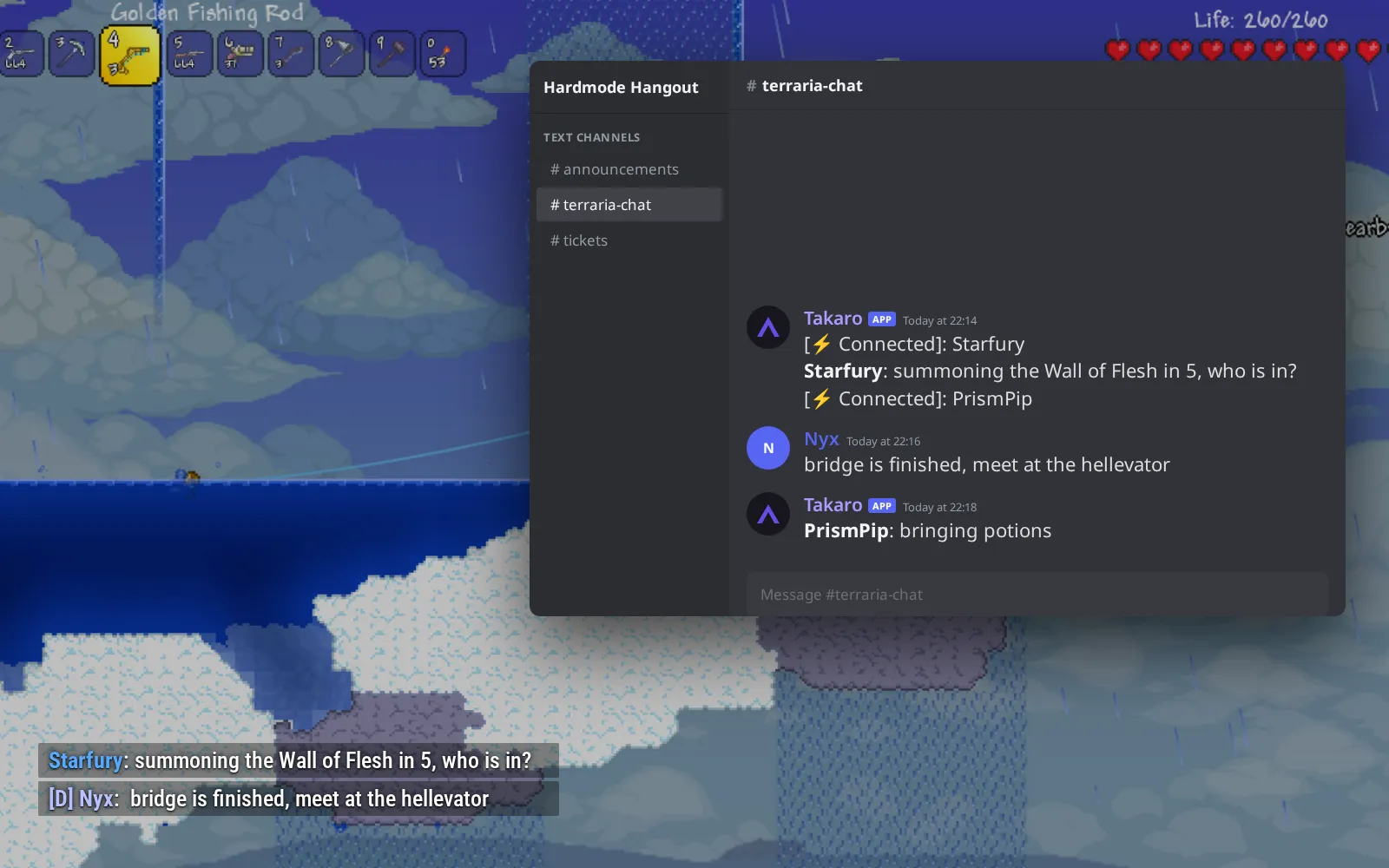
Potions before the boss, bought in chat
Every NPC a player kills can pay your server's currency at a rate you set. (1) !shop 1 lists potions, bars and ammo. (2) !shop 1 1 buy gives them ten Healing Potions. (3) Your storefront page shows the potions, bars and ammo as cards. Chat commands and buying haven't been tested on a live TShock server yet.
Browse the economy modules →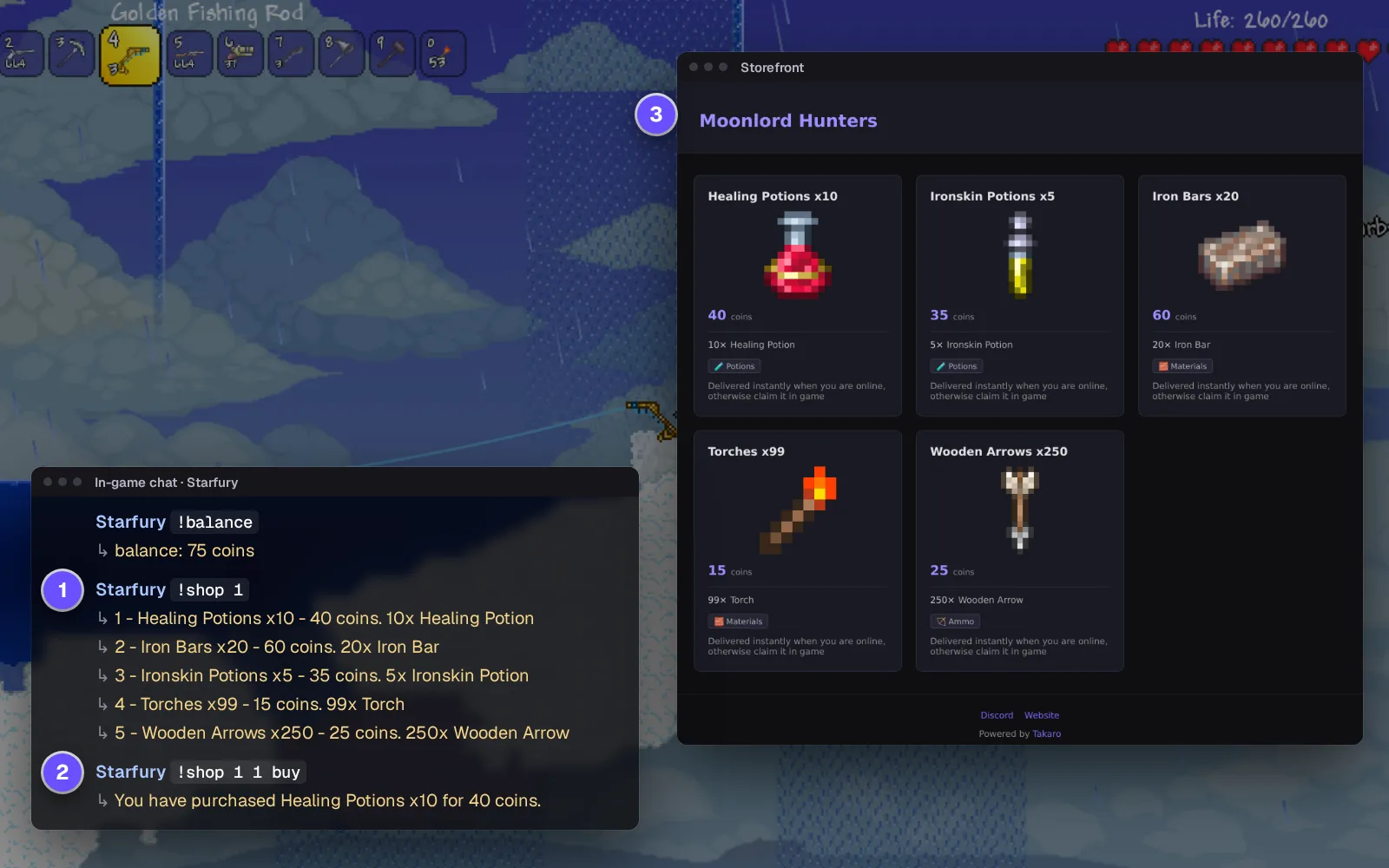
Everything else for your Terraria server
Only the commands you approve
Console commands run from an allowlist. Out of the box that's help, say and time, so a slip of the keyboard can't do much damage.
Whispers only one player sees
Module replies and staff messages go through TShock's whisper, so only that player gets them.
Broadcast event nights
Repeat "Blood Moon night Saturday, 8 PM" in game on a schedule, through TShock's broadcast.
Shut down cleanly when you choose
Turn it on in the helper's config and Takaro can save and stop the world, after a warning. Your host or start script brings it back.
Download the Terraria connector
TShock plugin and bridge service that connect a Terraria dedicated server to Takaro.
Before you start
- Terraria dedicated server running TShock
- Node.js 22 on the server host
- Takaro registration token
Latest release
Next steps
- Create the server in the Takaro dashboard and copy its registration token.
- Put the Takaro plugin in your TShock ServerPlugins folder, start the helper app (it needs Node.js) next to the server, and paste in the code Takaro gives you.
Previous versions (1)
Free to start. Upgrade when you grow.
The free tier includes one server with all modules, full API access, and Discord integration. Paid plans start at €7.99/month.
Terraria server management FAQ
How do I become admin on a TShock server?
Use TShock's one-time setup code the first time you join, then give your own account the top admin group. After that, Takaro lets your staff use the dashboard without sharing that account.
How do I ban a player who already left my Terraria server?
Find them in Takaro: their profile, and where they went on the map, stay after they log off. Ban support on Terraria is new and not yet tested with live players.
Can I see where players are in my Terraria world?
Yes. Takaro's map shows your world in Terraria's map colours with players on it, and the Tracker replays where they went, so you can look back at last night.
Why can't players join after a Terraria update?
Their game is newer than your server's TShock, so they get "You are not using the same version as this server." Wait for a TShock release that supports the new version. Takaro's Terraria plugin is built for TShock 6.2.1.
Does this work with tModLoader or a vanilla server?
No. The connector needs TShock, and a vanilla server has no plugin support for it to hook into. TShock and tModLoader can't run on the same server.
Does Takaro replace TShock groups and regions?
No. TShock still decides who can build and keeps your protected regions safe. Takaro adds the dashboard, the map and player history on top. Building in Minecraft too? That server fits in the same dashboard.
Can I manage multiple Terraria servers from one dashboard?
Yes. Add as many servers as your plan allows. The free tier includes one server; paid plans cover two to eight, all from a single dashboard.
Is Takaro a replacement for my server host?
No. Takaro is a management layer on top of the server you already run. You keep your hosting provider; Takaro connects to the server and adds economy, teleports, moderation and analytics.
Can I write custom modules?
Yes. Takaro modules are commands, hooks and cron jobs you can write yourself, and the REST API is open for anything a module cannot reach.
How much does it cost?
The free tier covers one server with every module included. Paid plans start at €7.99/month for two servers. See all plans.
Is Terraria support official?
Yes. Takaro builds, tests and releases this connector itself, with versioned releases and a documented install. Bugs go to the connectors repository.
Ready to manage your Terraria server?
Install the connector, connect, and start adding features in minutes.
Running more than one game?
One Takaro account runs every game below, with one player profile across all of them.