A Hytale server manager that lives outside your mods folder
When an update changes how plugins connect, your admin panel mod, Discord bridge and moderation mod each wait for their own rebuild. Takaro puts players, bans, roles and Discord in one browser dashboard, and only the community mod needs a rebuild, once its maintainer ships one.
Community mod; check it supports your current Hytale update. Free tier available.
Running a Hytale server in Early Access
"Is the server back yet?"
Update 6 moved the protocol, and servers and plugins needed a rebuild before they'd connect. Your Discord fills up with the same question while you wait.
You're on the server list now
Since Update 5 your Server Profile puts you in front of strangers. More players means more reports, and they come in while you're asleep.
"Who was on last night?"
Someone's build on the survival world got wrecked overnight. The console has scrolled past and nobody kept a list of who joined.
Who was on last night, and what they said
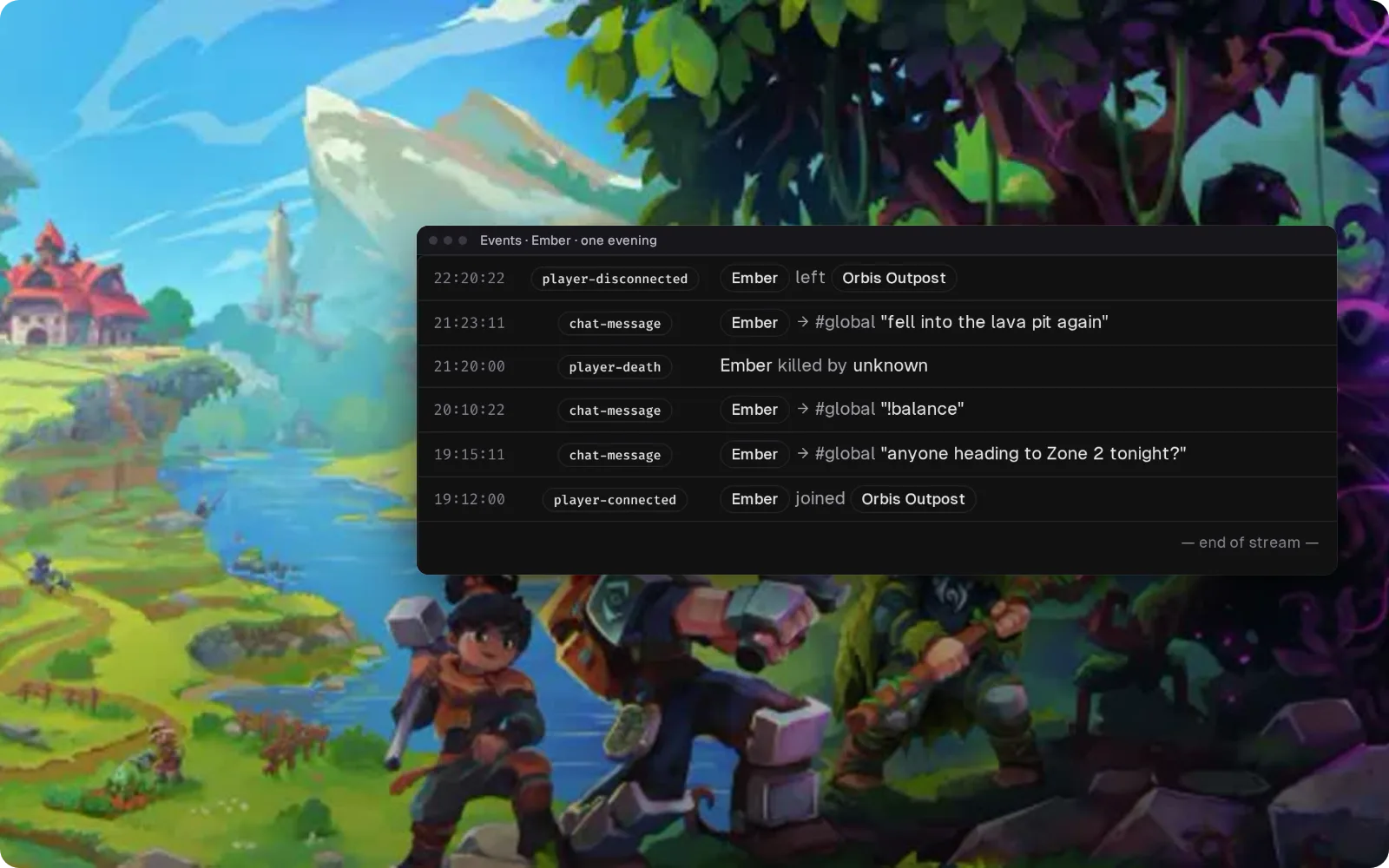
Joins, leaves, chat and deaths reach Takaro through the community mod and land in one log. Filter it to one player to read their evening in order. Player commands in chat start with !, because Hytale keeps / for itself.
Hytale setup guide → Answer "did the server update?" from Discord
Server chat goes to a Discord channel and staff replies show up in game, with joins and leaves posted alongside. When an update breaks plugins, one message in Discord tells everyone which version the server stays on.
Set up the Discord bridge →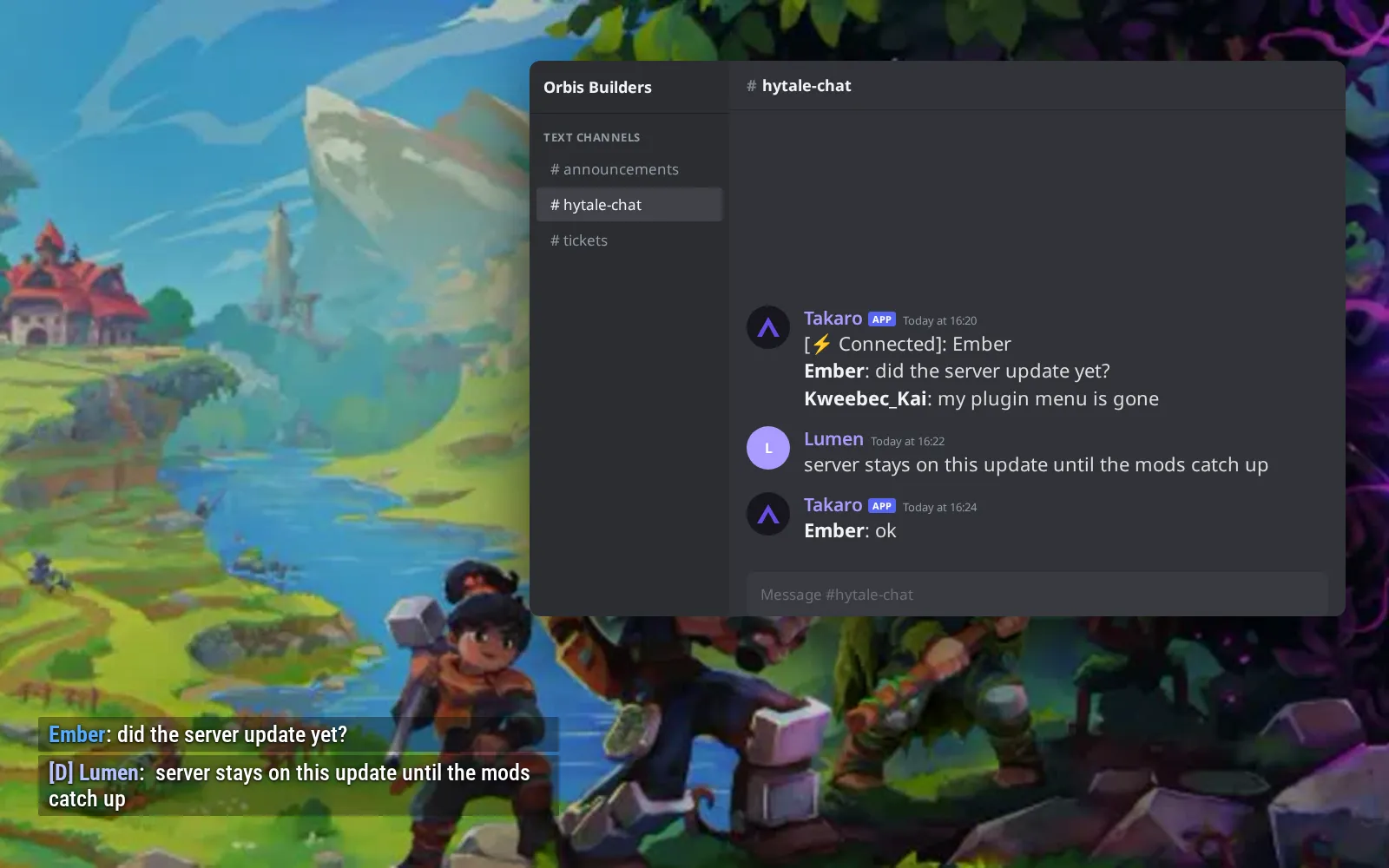
Daily coins, spent on a starter kit
Players earn coins with !daily streaks; commands use ! because Hytale keeps / for itself. (1) !shop 1 lists the kits, food and blocks you sell. (2) !shop 1 4 buy hands over the Starter Tool Kit. (3) The kits, food and blocks also show as cards on your storefront page.
Browse the economy modules →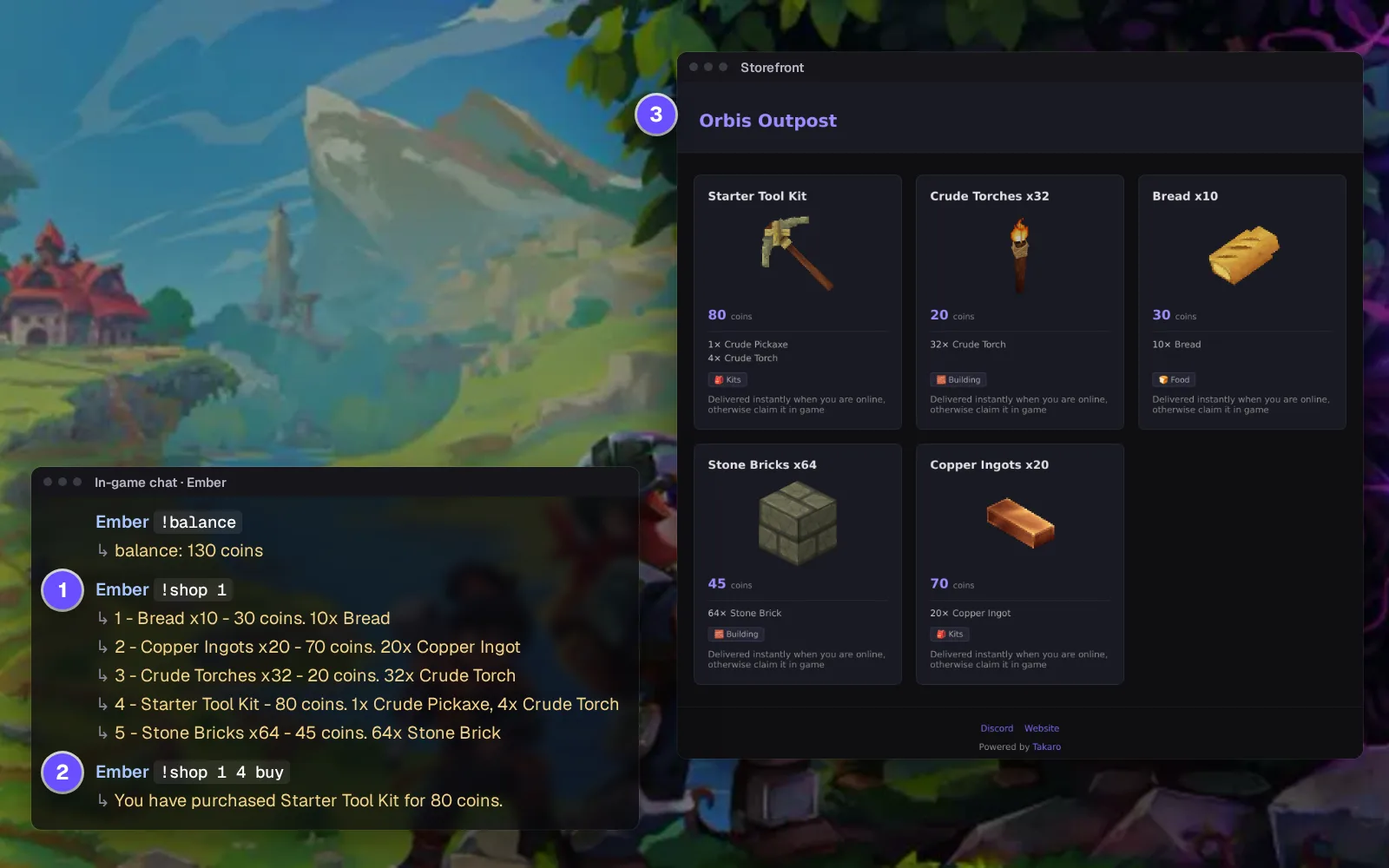
Everyone who has joined your world
Players stay on one list in Takaro with playtime and when they were last on, whatever the next Early Access update does to your world. Open one to kick or ban.
How bans work →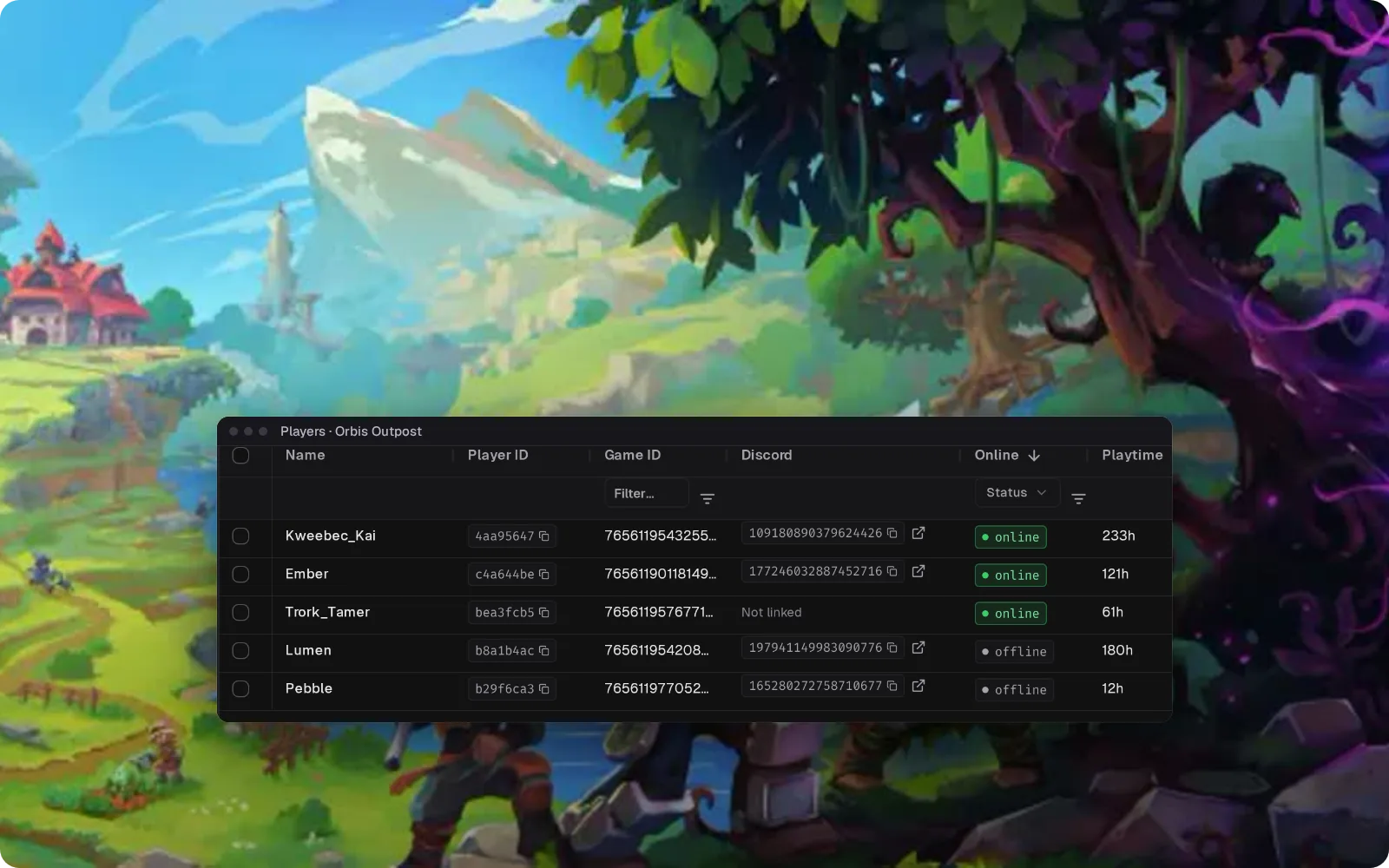
Switch on a feature from the browser
Modules are add-ons that run in Takaro. Turn one on and set it up in the dashboard; its settings stay in Takaro through game updates. What it can do in-game depends on what the community mod supports.
Browse the module library →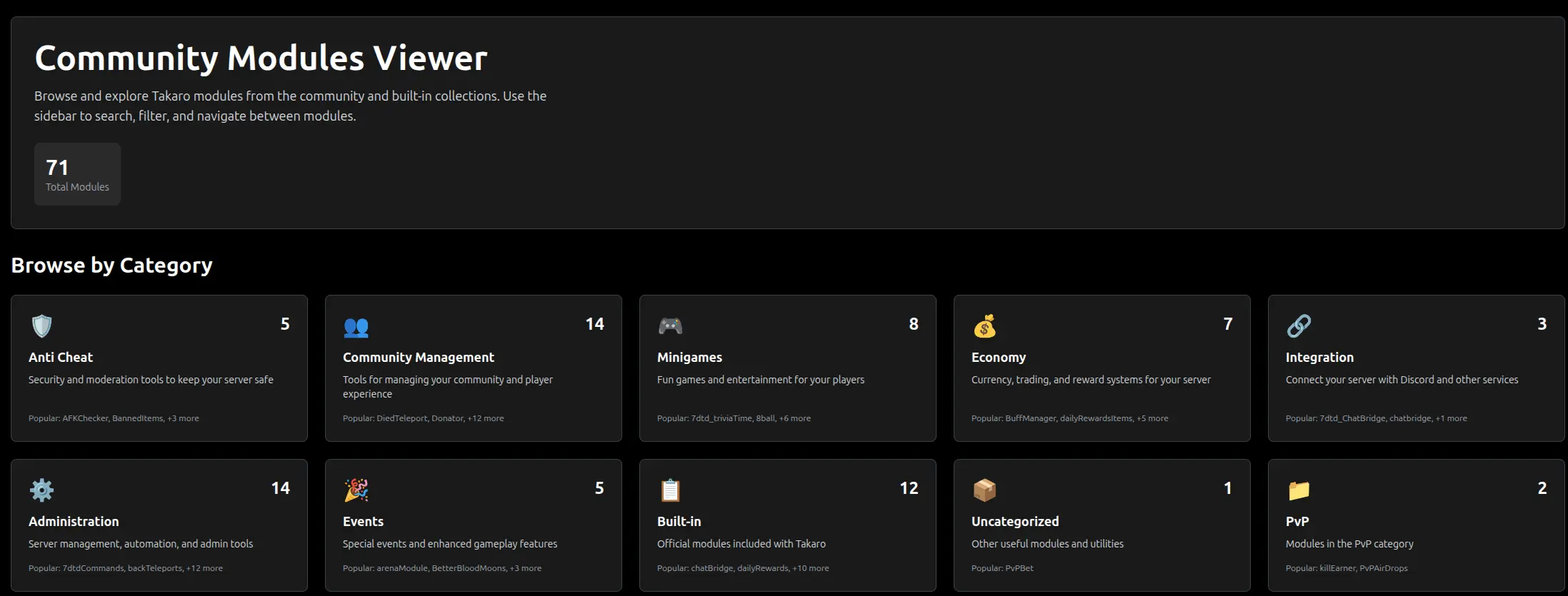
Everything else for your Hytale server
What the community connector gives you on Hytale. Install, configure, done.
Kick and ban without the console open
Open a player in Takaro and kick or ban them. The mod carries it out on your Hytale server, so nobody has to be logged into the console to deal with a report.
Ban rights for moderators, nothing else
Give a new moderator a Takaro role that can kick and ban, and nothing more. They work from their browser, not your server box.
Run server commands from the dashboard
Type a command in Takaro and the mod runs it on the server. Handy when the console is on a machine you're not sitting at.
See joins and leaves as they happen
Joins and leaves reach Takaro live and can post to your Discord channel. When a build gets wrecked, you start from who was on instead of guessing.
How Hytale support works
Hytale is supported through Takaro's generic connector rather than one Takaro builds and releases, so there is no download here. Setup and support come from the community that maintains it.
- Maintained by the Takaro community.
- Get the Hytale-Takaro Integration mod as the Hytale setup guide describes, drop it in your server's mods folder, and paste the registration token from Takaro into its config file.
- Questions go to the community, not to Takaro support.
Connect your Hytale server
One mod in the mods folder, one token from Takaro.
Add your Hytale server
Get the Hytale-Takaro Integration mod as the Hytale setup guide describes, drop it into your server's mods folder, start and stop the server once so the mod writes its config file, paste the registration token Takaro gives you and a name for your server into that file, then start the server.
Install modules
Browse the module library and toggle on what you need: economy, teleports, moderation.
Manage from anywhere
The dashboard works in any browser. Check activity, adjust settings and moderate from your phone.
Free to start. Upgrade when you grow.
The free tier includes one server with all modules, full API access, and Discord integration. Paid plans start at €7.99/month.
Hytale server management FAQ
Is Hytale out, and can I connect my own server?
Yes. Hytale has been in Early Access since 13 January 2026 and you can run your own dedicated server. Takaro connects to it through the community-made Hytale-Takaro Integration mod; check that it supports your current update before you rely on it.
Do my players need to install a mod to join?
No. All Hytale modding runs on the server, so players join with the normal game. Only your server gets the Takaro mod.
How do I ban a Hytale player without typing /ban in the console?
Open the player in Takaro and ban them from their profile. The mod applies it on the server, and anyone with the right Takaro role can do it from their browser.
What happens when a Hytale update changes the protocol?
Plugins need a rebuild when the protocol changes, and the community mod only works again once its maintainer ships one. Your modules, roles and Discord setup live in Takaro and stay as they are.
Does Takaro show my players on a Hytale map?
No. Takaro doesn't offer a Hytale player map, so keep your web-map plugin if you use one.
Can I manage multiple Hytale servers from one dashboard?
Yes. Add as many servers as your plan allows. The free tier includes one server; paid plans cover two to eight, all from a single dashboard.
Is Takaro a replacement for my server host?
No. Takaro is a management layer on top of the server you already run. You keep your hosting provider; Takaro connects to the server and adds economy, teleports, moderation and analytics.
Can I write custom modules?
Yes. Takaro modules are commands, hooks and cron jobs you can write yourself, and the REST API is open for anything a module cannot reach.
How much does it cost?
The free tier covers one server with every module included. Paid plans start at €7.99/month for two servers. See all plans.
What does the Hytale connector actually cover?
Player tracking, automated server events, Discord integration, automated actions and activity monitoring. See the full feature list.
Where do I get help with Hytale support?
In the Takaro Discord, where the people who build and run the community connectors are.
Is Hytale support official?
No. Hytale is supported through Takaro's generic connector rather than a connector Takaro builds and releases, so setup and support come from the community. How community support works.
Ready to manage your Hytale server?
Connect your server and start adding features in minutes.
Running more than one game?
One Takaro account runs every game below, with one player profile across all of them.