Eco server admin tools, cycle after cycle
Kick the crop thief and send remote commands, a ban included, without loading into Eco. Takaro keeps who joined and when from one cycle to the next, so a fresh world doesn't start with a blank player list.
Community plugin; confirm it matches your Eco version. Free tier available.
Mid-cycle, the Eco admin's inbox looks like this
Somebody harvested my field
A farmer posts that their crops were picked overnight. Settlements can restrict this with laws, but tonight you want to know who was on. Takaro shows who joined and when, and you can kick from the browser.
The election closed and nobody knew
A vote that shapes the whole server ends Thursday, and only the people online when it was called heard about it. With Eco chat relayed to Discord, the call reaches the people who aren't logged in.
Didn't they wreck the last world?
Day one of a new cycle and a familiar name joins. The save forgot them. Takaro still has when they played last time, so the call is yours before they've built anything.
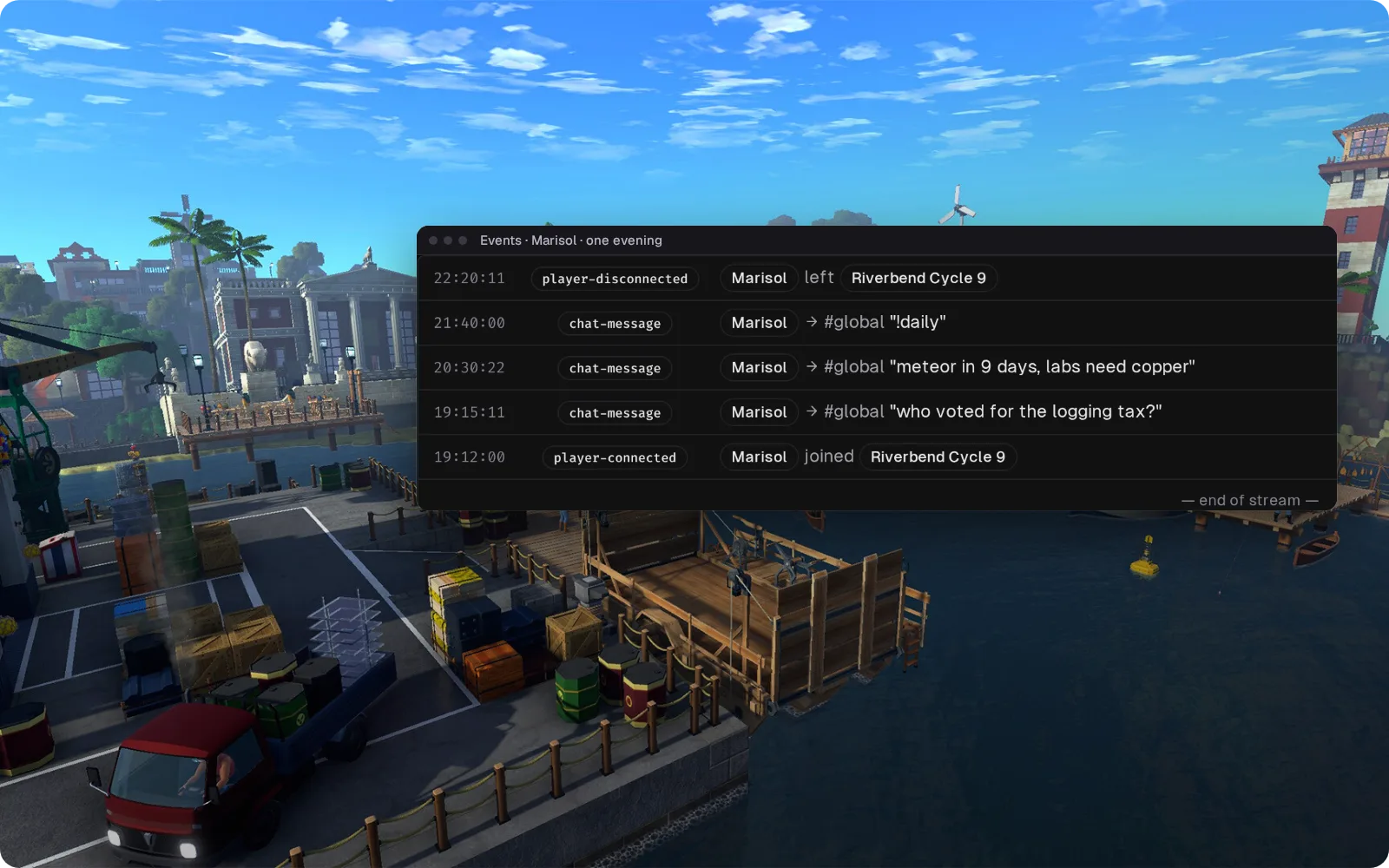
Who said what in town chat, and when
Joins, leaves and global chat reach Takaro through the community plugin. Filter the log to one player when the court of public opinion wants to know who proposed that tax. Player commands start with !, since / belongs to Eco.
How community game support works → The town hall, in Discord
Global chat goes to a Discord channel and replies from there come back in game, so a vote reminder reaches citizens who aren't online. Private messages stay out of the channel.
Set up the Discord bridge →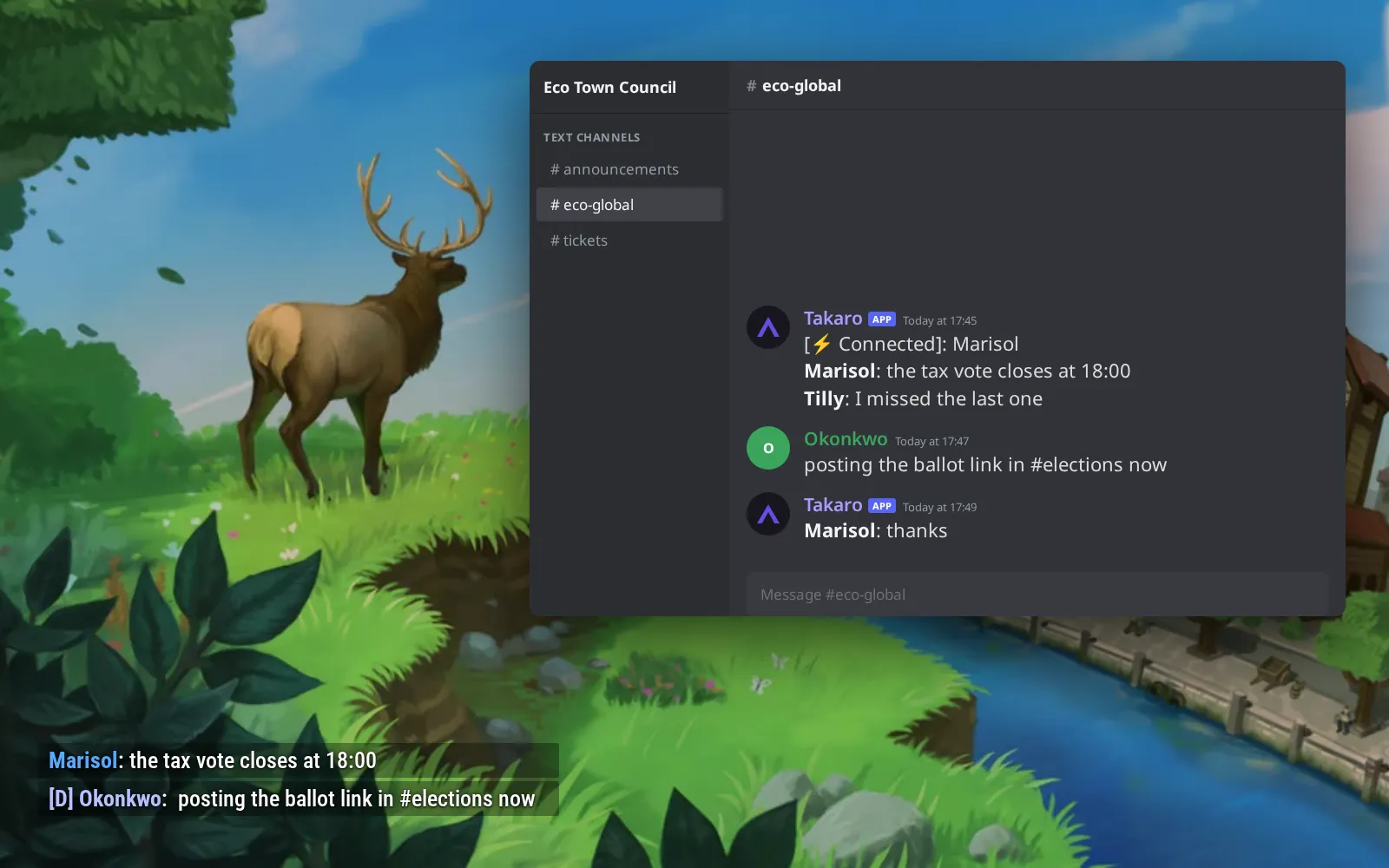
The same players, cycle after cycle
A new world wipes the save, not the player list in Takaro. Everyone keeps their Steam ID, playtime and last seen date across cycles, so you know who's back for cycle 10.
How players work in Takaro →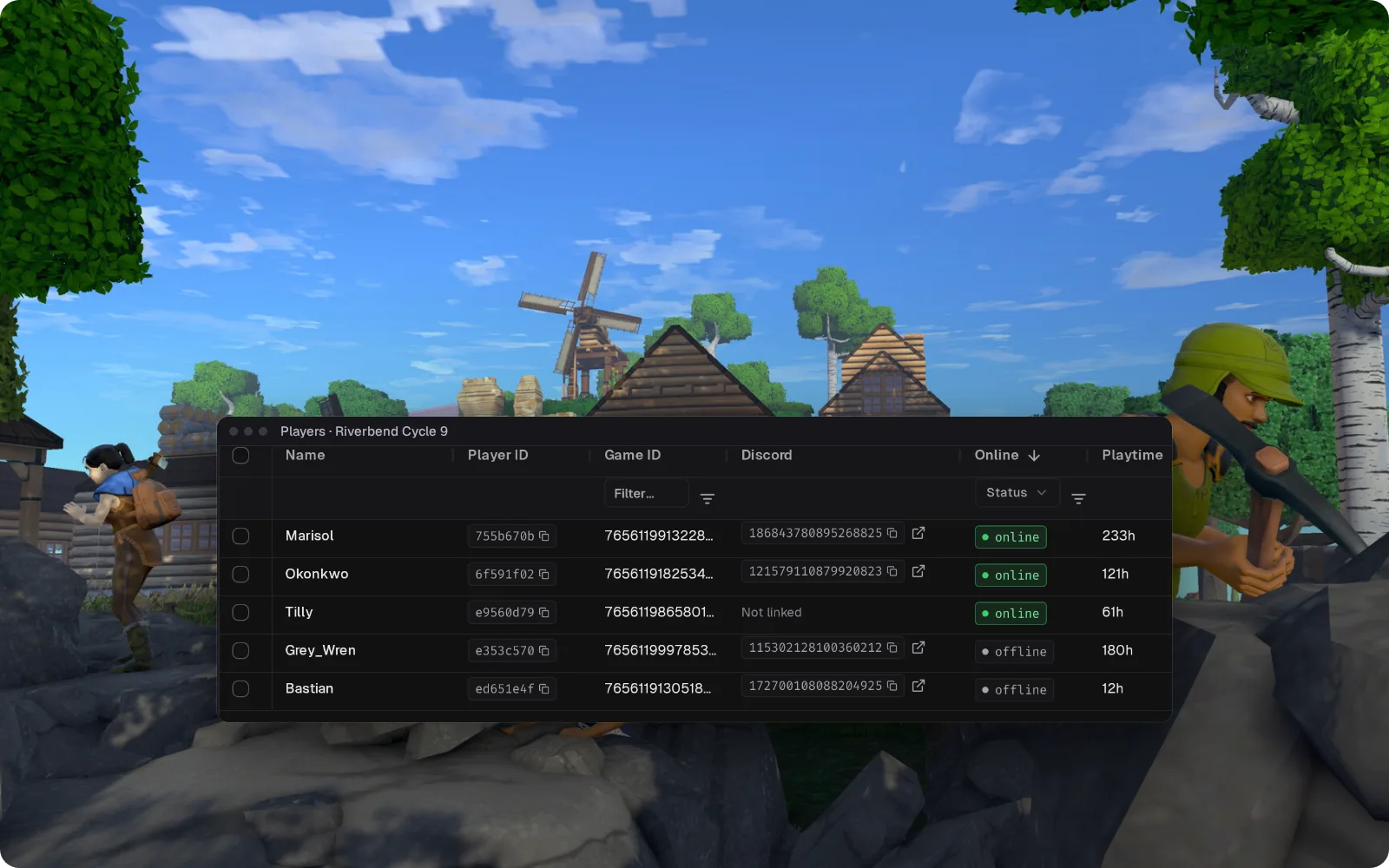
Everything else for your Eco server
What the community connector gives you on Eco. Install, configure, done.
Kick without spawning in
The community integration lets you kick Eco players from Takaro's dashboard, and ban them by typing ban and their name in Takaro's console. In a game where players run the government, staff don't need a character standing in the world to deal with a problem.
Fix it from the browser
Send remote commands to the server from the dashboard. When the fix is one line, you don't have to load the world first.
Know who came back for the new cycle
Each player keeps one record in Takaro across worlds. Thank the regulars who played the whole last cycle, spot who's gone quiet, and recognise the griefer who's back.
Eco chat and Discord, both ways
Chat relays between Eco and your Discord, so a vote called in game reaches the people reading Discord, and they can answer without loading in.
How Eco support works
Eco is supported through Takaro's generic connector rather than one Takaro builds and releases, so there is no download here. Setup and support come from the community that maintains it.
- Maintained by the Takaro community.
- Install the community-made Eco integration on your server from its download page. It connects to Takaro through the generic connector. Players install nothing.
- Questions go to the community, not to Takaro support.
Connect your Eco server
No complicated setup. No server-side installs.
Add your Eco server
Install the community's Eco integration from its download page, then connect it to Takaro.
Install modules
Browse the module library and toggle on what you need: economy, teleports, moderation.
Manage from anywhere
The dashboard works in any browser. Check activity, adjust settings and moderate from your phone.
Free to start. Upgrade when you grow.
The free tier includes one server with all modules, full API access, and Discord integration. Paid plans start at €7.99/month.
Eco server management FAQ
Can I kick or ban Eco players without joining the server?
Yes. With the community integration installed, you kick players from Takaro's dashboard, and ban them with the ban command in Takaro's console.
Does Takaro keep player history between Eco cycles?
Yes. Takaro's player records live outside the Eco save, so starting a new world doesn't clear who joined and when. That holds as long as you keep the same server connected in Takaro, within your plan's history retention.
Can Takaro post Eco chat and joins to Discord?
Yes. The community integration relays chat messages between Eco and Discord, and Takaro's bot posts joins and leaves to the channel you pick.
How do I stop players stealing crops on my Eco server?
Settlements can restrict this with laws. When it happens anyway, Takaro shows who was online around that time, and you can kick the player from the dashboard.
Can Takaro see Eco's bank accounts, stores or laws?
No. Takaro doesn't track Eco's in-game bank accounts, stores or laws. It tells you who was on the server and when, which helps when an exploit report comes in days later.
Who maintains the Eco integration?
The community, not the Takaro team. Eco support is a community-made integration. Takaro's dashboard, Discord bot and modules work the same once it's connected, so confirm the plugin matches your Eco version first.
Can I manage multiple Eco servers from one dashboard?
Yes. Add as many servers as your plan allows. The free tier includes one server; paid plans cover two to eight, all from a single dashboard.
Is Takaro a replacement for my server host?
No. Takaro is a management layer on top of the server you already run. You keep your hosting provider; Takaro connects to the server and adds economy, teleports, moderation and analytics.
Can I write custom modules?
Yes. Takaro modules are commands, hooks and cron jobs you can write yourself, and the REST API is open for anything a module cannot reach.
How much does it cost?
The free tier covers one server with every module included. Paid plans start at €7.99/month for two servers. See all plans.
What does the Eco connector actually cover?
Player tracking, automated server events, Discord integration, automated actions and activity monitoring. See the full feature list.
Where do I get help with Eco support?
In the Takaro Discord, where the people who build and run the community connectors are.
Is Eco support official?
No. Eco is supported through Takaro's generic connector rather than a connector Takaro builds and releases, so setup and support come from the community. How community support works.
Ready to manage your Eco server?
Connect your server and start adding features in minutes.
Running more than one game?
One Takaro account runs every game below, with one player profile across all of them.